Path: /users · top menu Access → tab Users
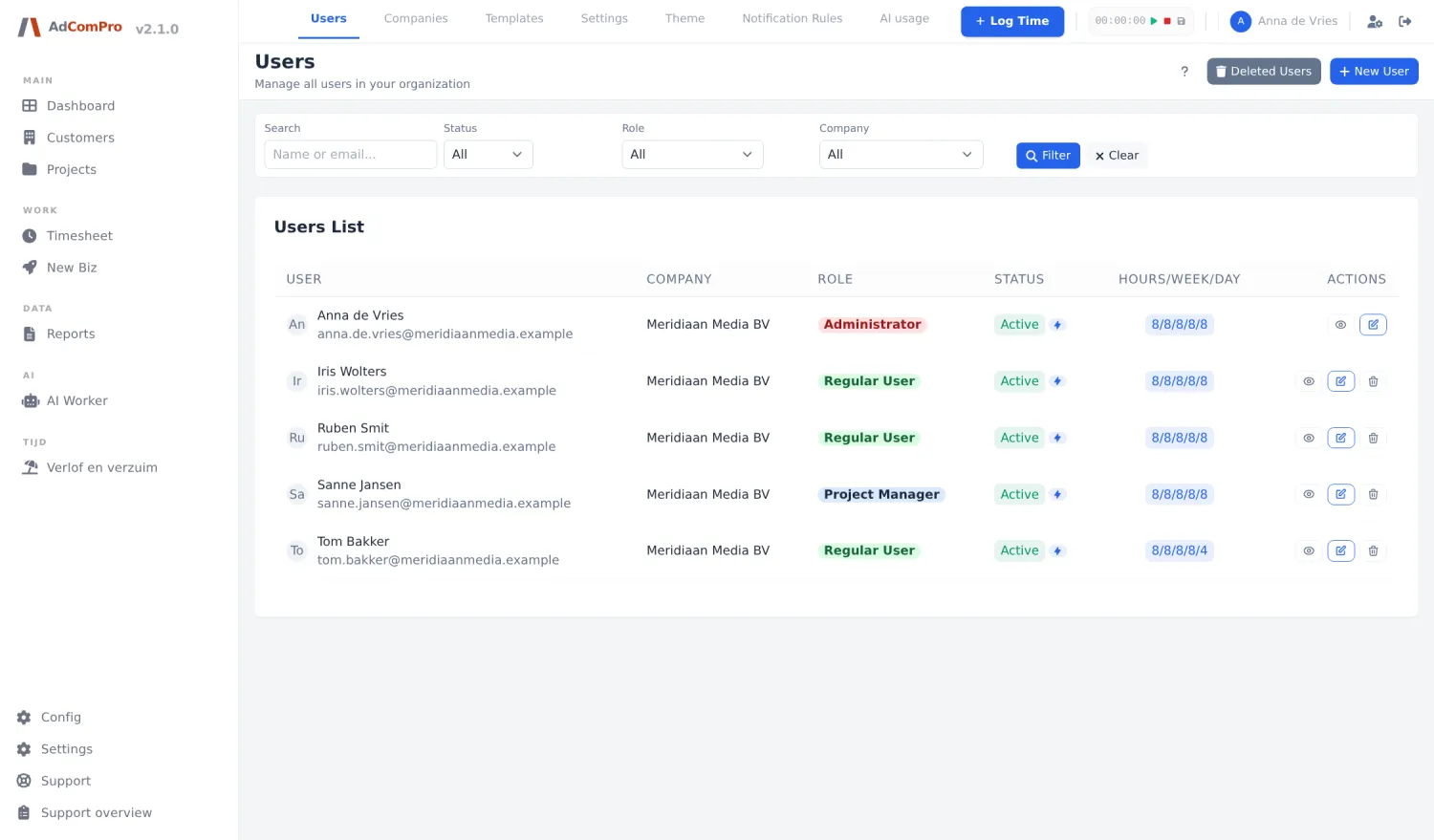
| Button or filter | What it does |
|---|---|
| + New User | Create a new user. |
| Status / Role / Company | Filters; Filter applies them, Clear resets them. |
| Deleted Users | View deleted users and restore them. |
| Eye | Shows the profile with role, company, last login and working hours. |
| Pencil | Edits the user. |
| Trash can | Deletes the user. Their logged hours remain. |
The fields of a user
| Field | Explanation |
|---|---|
| Name / Email | Name and login address. The address must be unique within your organisation. |
| Password | For a new user: the initial password. The user then changes it themselves in their profile. |
| Role | Reader, User, Project Manager, Admin or a custom role of your organisation; the list runs from most to least rights. See the matrix in chapter 28 and the block below. |
| Company | The company this person belongs to. Determines in which overviews they are counted. |
| Active | Switching it off blocks logging in without deleting any data — the clean way to let someone leave. |
| Expected hours per week | The expected hours load; the basis for the norm on the dashboard and in Hours Logged. |
| Auto approve time entries | Bookings by this person immediately go to Approved and do not have to pass the approval screen. |
| Language | The interface language of this user (English, Dutch, German or French). |
Working hours per day are not a user field but live in the profile of the person themselves (chapter 24). They are the condition for booking entire leave periods.
Custom roles and the permission matrix
User management is a tab inside Access. That is also where you decide what each role may do, and where you create your own roles next to the four standard ones.
| Tab | What you do there |
|---|---|
| Permissions | The permission matrix: per module — and where useful per function group, such as for projects: view, manage structure, financial management — you tick per role what is allowed. A row you never touch follows the module’s default. |
| Roles | Create your own roles, for example Bookkeeper or Freelancer. Every custom role builds on a base role, which decides everything the matrix does not cover. Assign members here, or simply via the role field of the user. |
| Per user | Give one person a little extra, on top of their role. Taking access away per person is deliberately not possible: a role always means what it says. |
Two safeguards. Administrators always keep access to user management and to Access (you cannot lock yourself out), and deleting a role locks nobody out: members fall back to their base role.