Path: /settings · sidebar Settings
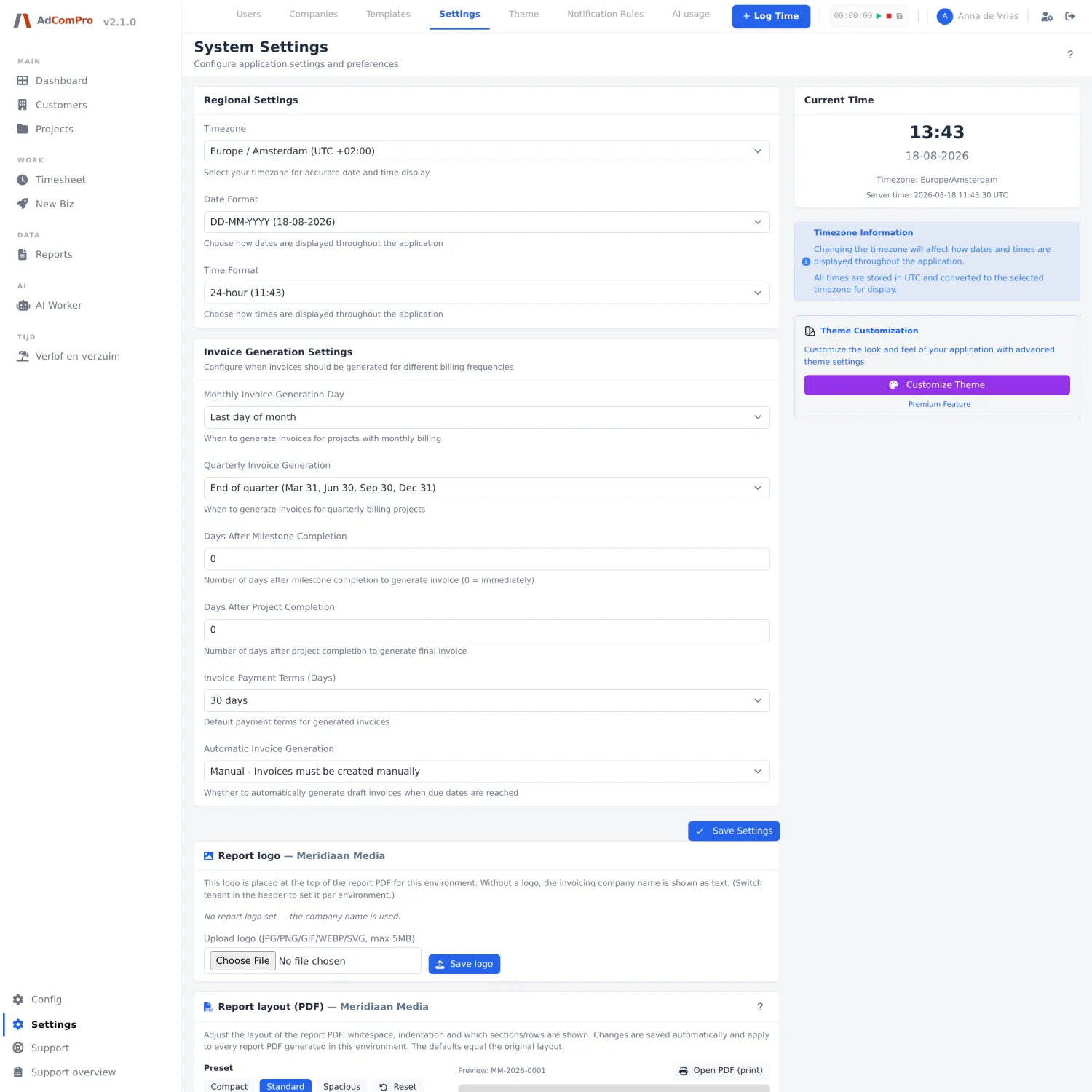
| Card | What you configure |
|---|---|
| Regional Settings | Time zone, date format and time format. Everything is stored in UTC and shown in your time zone. |
| Invoice Generation Settings | On which day monthly invoices are generated, how quarterly invoicing falls, how many days after completion of a milestone or project invoicing takes place, the payment term, and whether drafts are created automatically. |
| Save Settings | Saves the two cards above. |
| Report logo | The logo at the top of the report PDF. Without a logo the company name is shown as text. Save logo saves the file (JPG, PNG, GIF, WEBP or SVG, max 5 MB). |
| Report layout (PDF) | The complete layout of the report (chapter 16). Saves automatically. |
| Current Time | Top right: the time as the application uses it, with the server time alongside. Handy for checking that your time zone is correct. |
| Theme Customization | Link through to the theme page. |
| Support & AI | Platform administration only: per organisation, the waiting time before a confirmed bug fix is executed, the waiting time before an automatic reply goes to the reporter, and the response target against which the green or red badge on the support screens is measured. An empty field follows the default; 0 means immediately and is therefore not the same as empty. |
| Two-factor | Platform administration only: switch two-factor authentication on or off per organisation. |
Theme
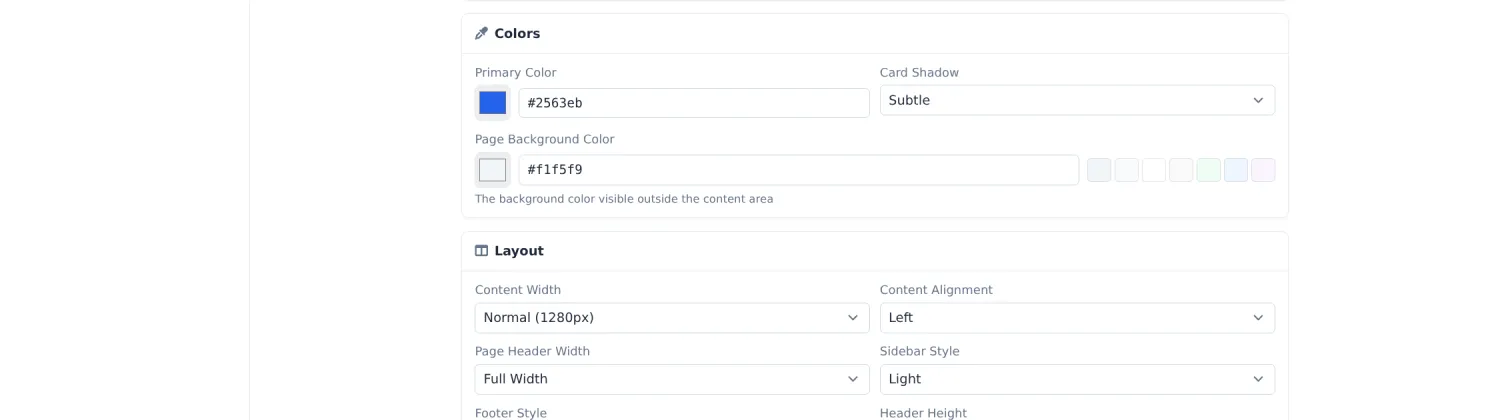
Under Settings › Theme you set the appearance: choose a ready-made theme or define the font, primary colour, background colour, content width, alignment, sidebar style and header height yourself. The width of the sidebar lives here too. The theme applies to your whole organisation, not per user.