The AI assistant answers questions about your own administration in plain language. It reads your projects, hours, budgets and invoices, and answers with the same figures the rest of the application uses. What you would otherwise dig out with four screens and a spreadsheet, you ask here in one sentence.
What you can ask
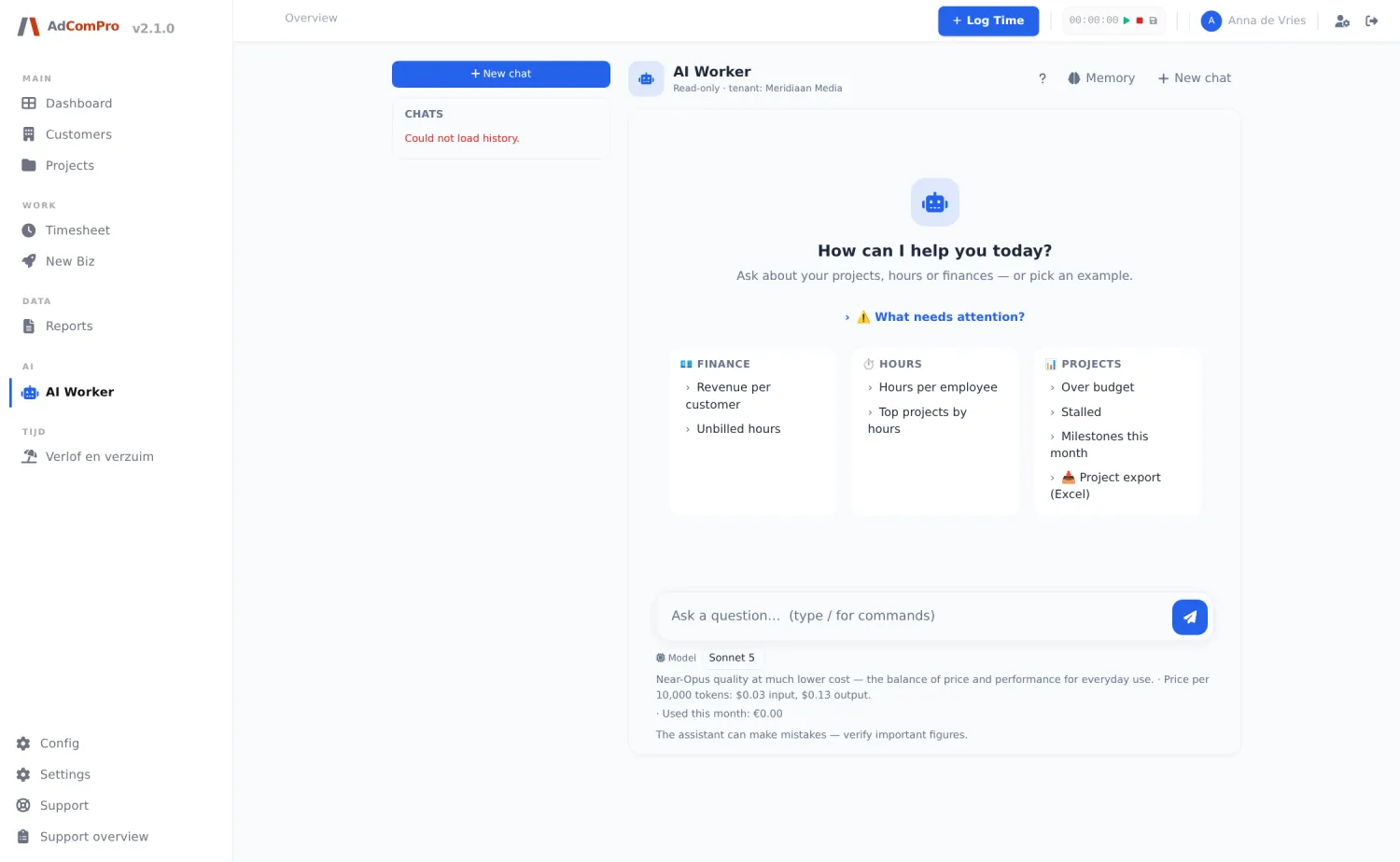
- “Which projects are over budget this month?” With the amount per project.
- “How many billable hours are still uninvoiced?” Per project or per customer.
- “Where did the time on this project go?” Split by milestone and person.
- “Which projects have gone quiet?” Active projects without hours in thirty days.
- “What needs my attention?” A scan for under-booked hours, large deferrals and stalled work.
Conversations can be saved and continued later, and the assistant has a personal memory for context you need more often.
What it deliberately does not do
The assistant is read-only and reports rather than acts: nothing is changed, approved or invoiced on its say-so. It looks only at your environment’s data, never at another’s. And it is available to administrators and project managers; someone who may not see financials does not get them through the assistant either.
What it costs
AI usage costs money, and that should be visible. The AI Usage & Costs screen shows the environment’s monthly usage and chargeable costs: number of questions and amounts per company, per employee and across the last twelve months. The pitch assistant from chapter 9 counts here too. That lets you charge on AI costs like any other expense.