Path: /time-approvals · top menu Approvals
Entries with status Pending are waiting for approval. The number in the Approvals tab shows how many are queued. Only approved hours end up on a report.
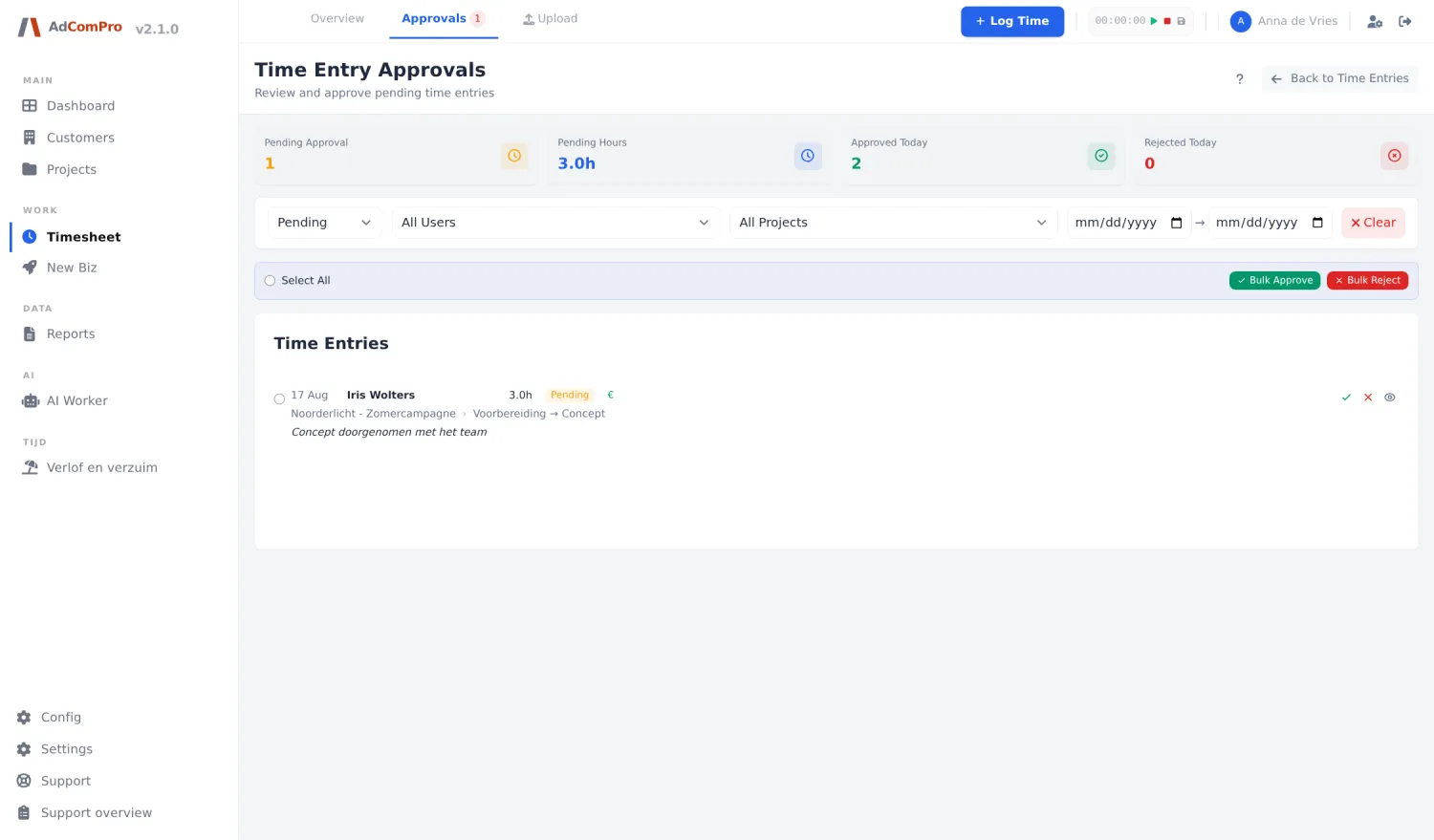
| Button or filter | What it does |
|---|---|
| Status | Pending, Approved, Rejected or All. |
| User | Filter by employee. |
| Project | Filter by project. |
| Clear | Resets all filters. |
| Bulk Approve | Approves all ticked rows in one go. |
| Bulk Reject | Rejects them in one go; you provide a single reason for all of them. |
| Tick (per row) | Approves that one entry. |
| Cross (per row) | Reject with a reason. The employee sees that reason in their timesheet and can correct. |
| View in List | Jumps to the same entry in the timesheet, with all the context around it. |
| Back to Time Entries | Back to the timesheet. |
Skip approving yourself? Per user, auto approve can be switched on (chapter 20). Their entries then go straight to Approved and do not appear here.