Path: /projects/<number>
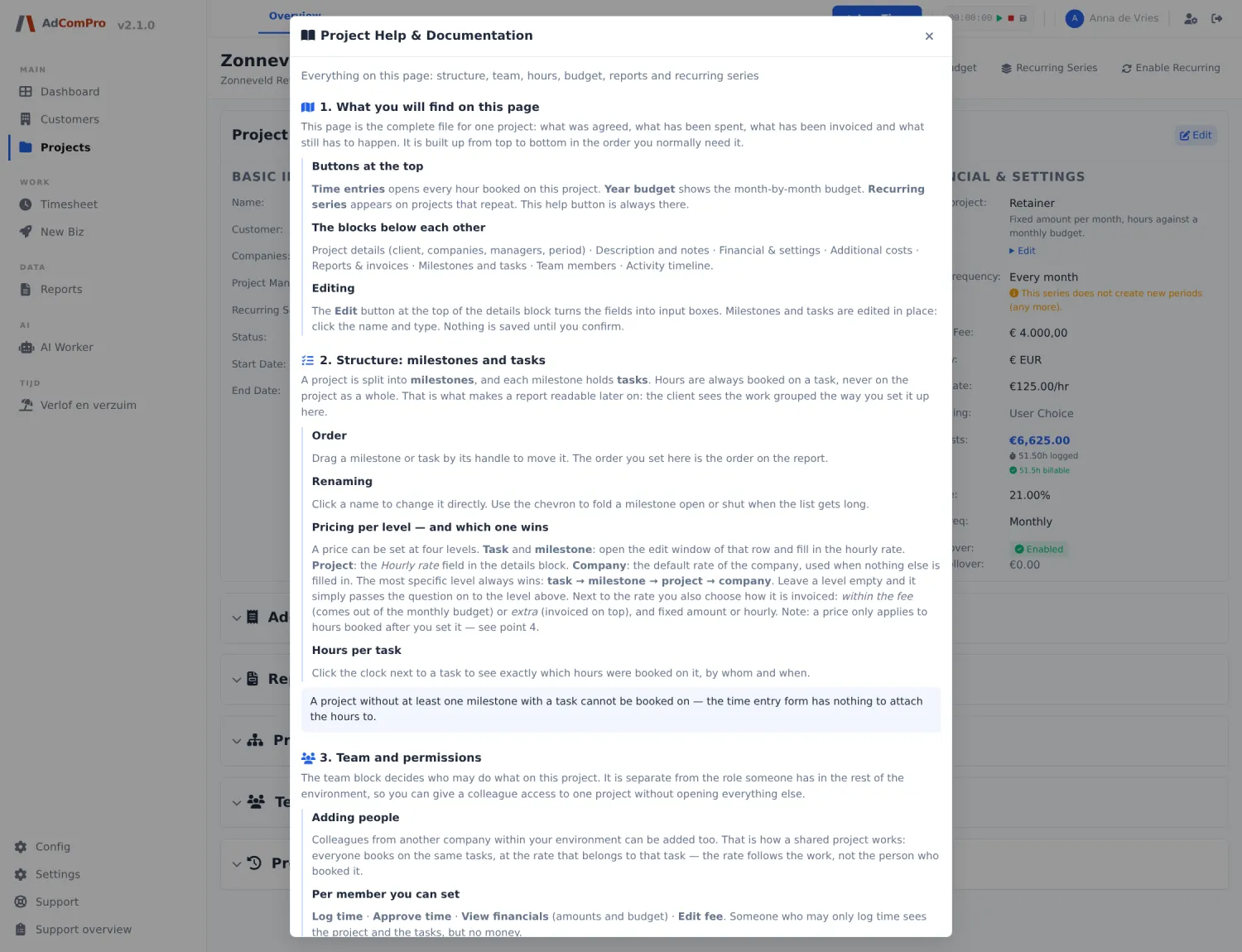
Everything about a single project is on this page, in blocks you expand and collapse.
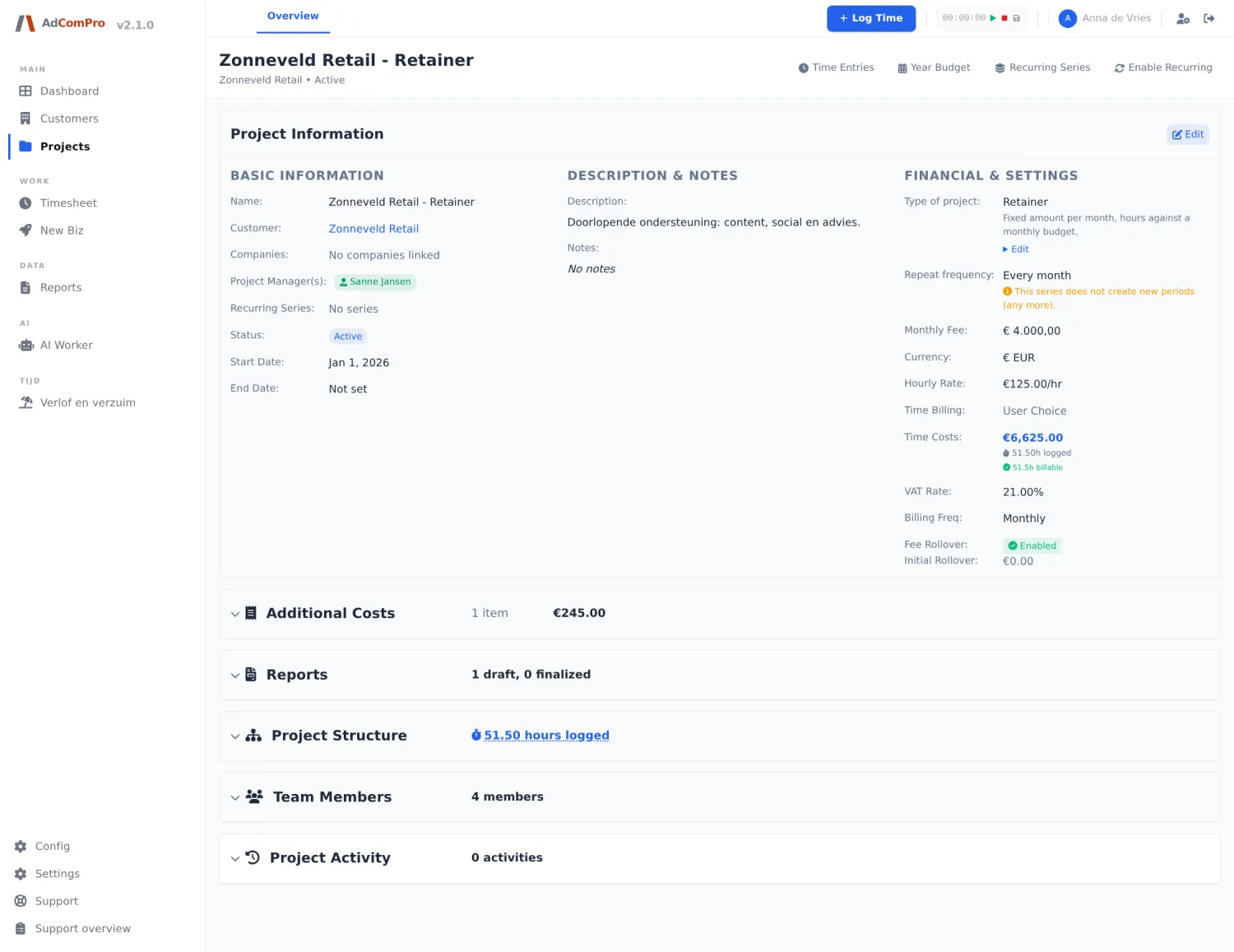
The header of the page
| Button | What it does |
|---|---|
| Time Entries | All hours of this project in a popup, with filters by employee and period. |
| Year Budget | The annual overview: per month the budget, the value spent and the balance that rolls over. |
| Recurring Series | Shows the series this project belongs to and the other periods in it. |
| Enable Recurring | Enables automatic renewal or adjusts its settings (chapter 11). |
Project Information
Three columns: Basic information, Description & notes and Financial & settings. With Edit they become editable, then Save or Cancel.
| Field | Explanation |
|---|---|
| Customer | The customer; the name is a link to the customer page. |
| Companies | Companies collaborating on this project, for cross-charging between your own companies. |
| Project Manager(s) | Who leads the project. They see the financial blocks and approve time. |
| Recurring Series | The series this project belongs to, or No series. |
| Status / Start Date / End Date | See chapter 9. |
| Type of project | The kind, with one line of explanation; Edit below it changes it. Note: this changes which calculations apply. |
| Repeat frequency | For a series: how often a new period is created. An orange line warns if the series will not create any new periods. |
| Monthly Fee / Currency | The fixed amount per period and the currency. |
| Hourly Rate | The default rate of this project. |
| Time Billing | User Choice (the person logging chooses), Always Billable or Always Non-billable. |
| Time Costs | The value of all logged hours, with below it the logged and the billable hours. |
| VAT Rate / Billing Freq | VAT percentage and invoicing rhythm. |
| Fee Rollover / Initial Rollover | Whether unused budget rolls over, and the opening balance. |
The blocks below
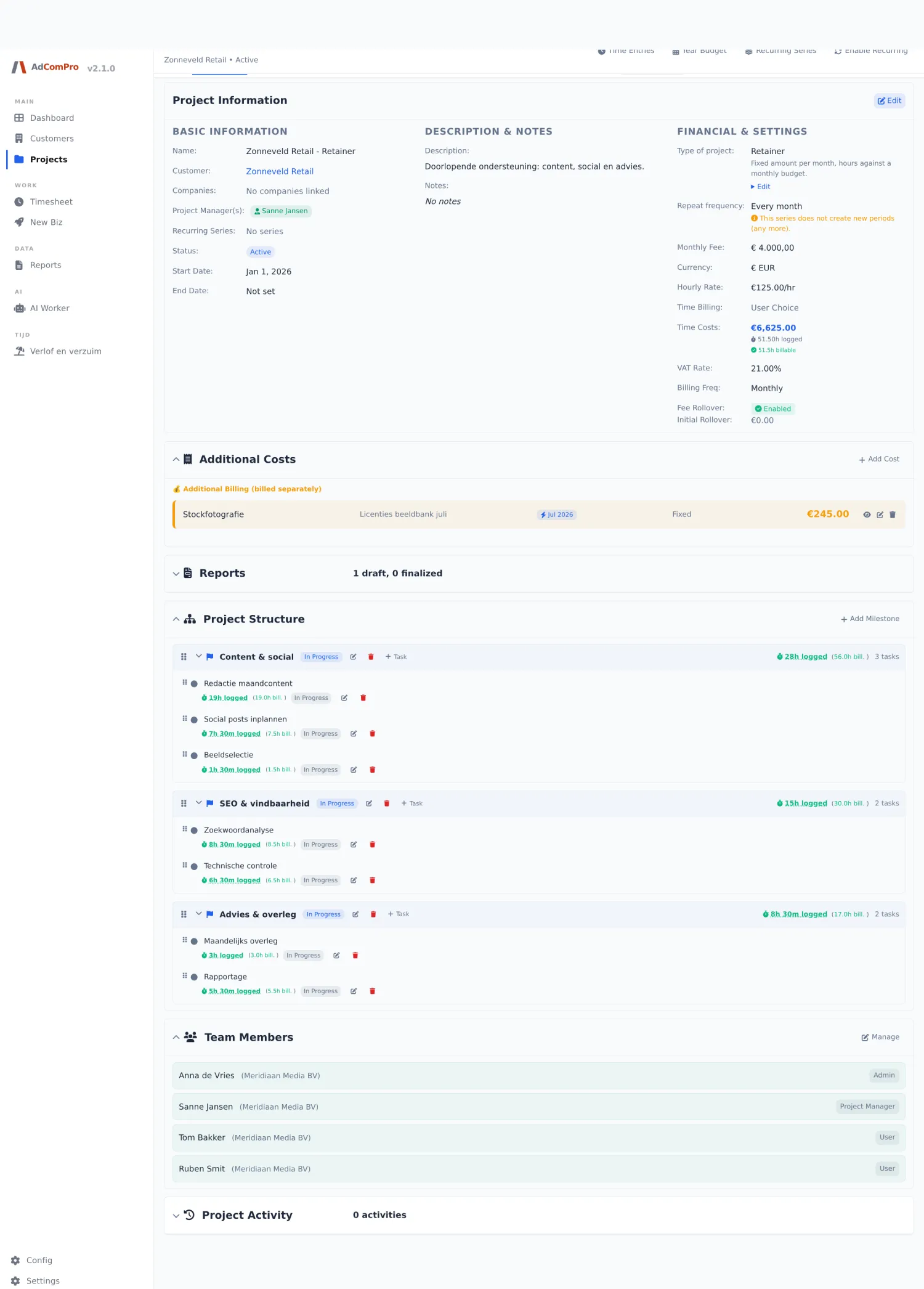
Additional Costs
Costs besides the hours: licenses, purchases, travel expenses.
| Button | What it does |
|---|---|
| + Add Cost | New cost line: name, description, amount, date, and two important choices — one time or monthly recurring, and in fee (deducted from the monthly budget) or additional (charged separately). |
| Eye / Pencil / Trash | View, edit or delete. |
Reports
Shows how many drafts and finalized reports this project has, with per report View Spreadsheet or Edit in Spreadsheet.
Project Structure
| Button | What it does |
|---|---|
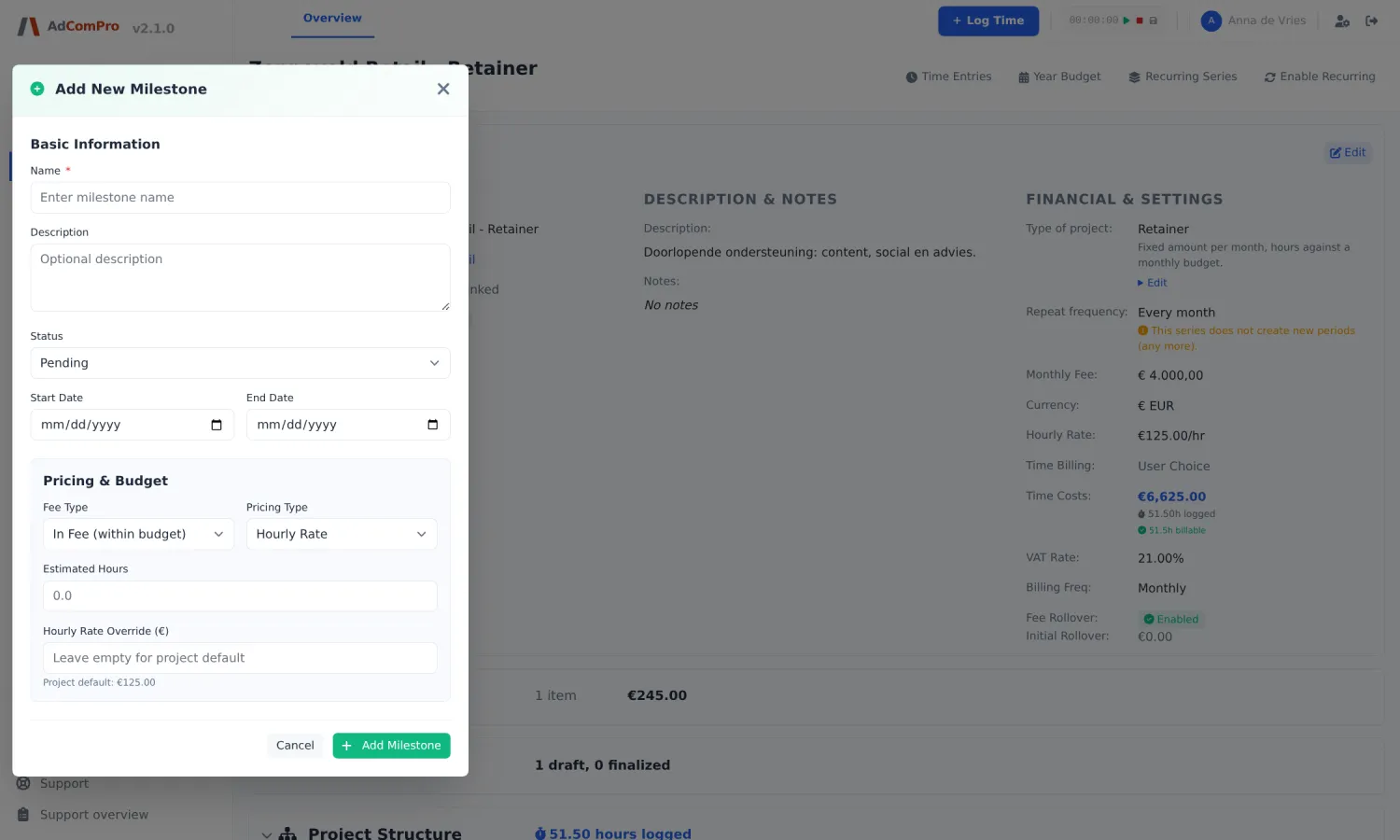
| + Add Milestone | Adds a milestone: name, status and, if desired, its own pricing arrangement. |
| + Task | Appears on every milestone row: add a task within that milestone. |
| Pencil | Edit a milestone or task: name, description, status, in fee or extended, fixed price or hourly rate, and the rate itself. |
| Trash | Delete. If hours are logged on it, the application warns you first. |
| Handle on the left | Drag to change the order. That order also determines the order on the report. |
| “28h logged” | Per milestone and task: the logged hours, with the billable share in brackets. Click it for the underlying entries. |
Price changes work forward, not backward. A new rate applies to new entries. Every price change is logged in Project Activity, with the old and the new amount.
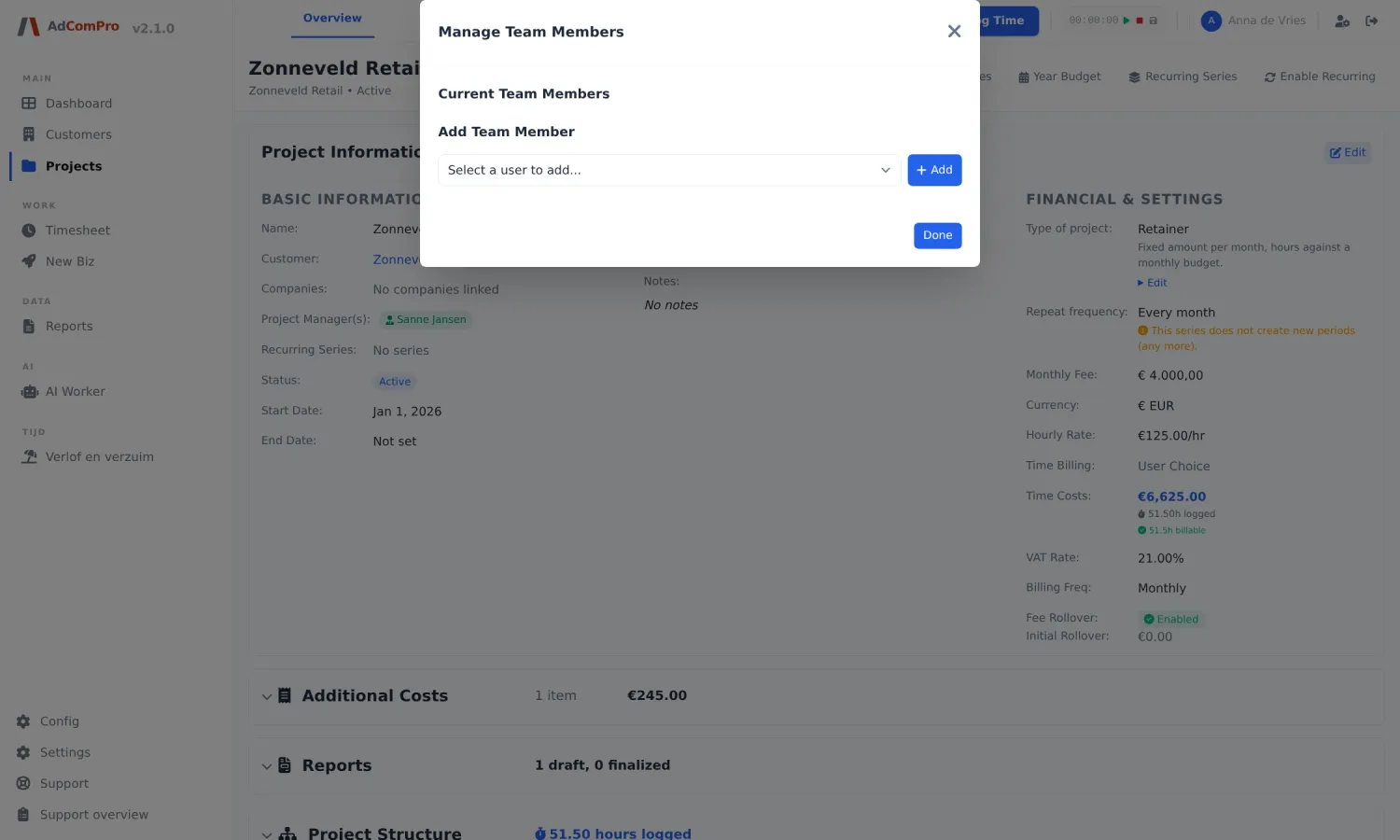
Team Members
Manage opens the team popup. Per member you switch four permissions on or off:
| Permission | Meaning |
|---|---|
| Can log time | May log hours on this project. |
| Can view financials | Sees rates, budget and amounts. |
| Can edit fee | May change the monthly amount and the pricing arrangements. |
| Can approve time | May approve other people’s hours. |
Project Activity
The log of this project: who changed what and when, including price changes with amounts and the adding or removing of milestones and tasks.
Annual overview
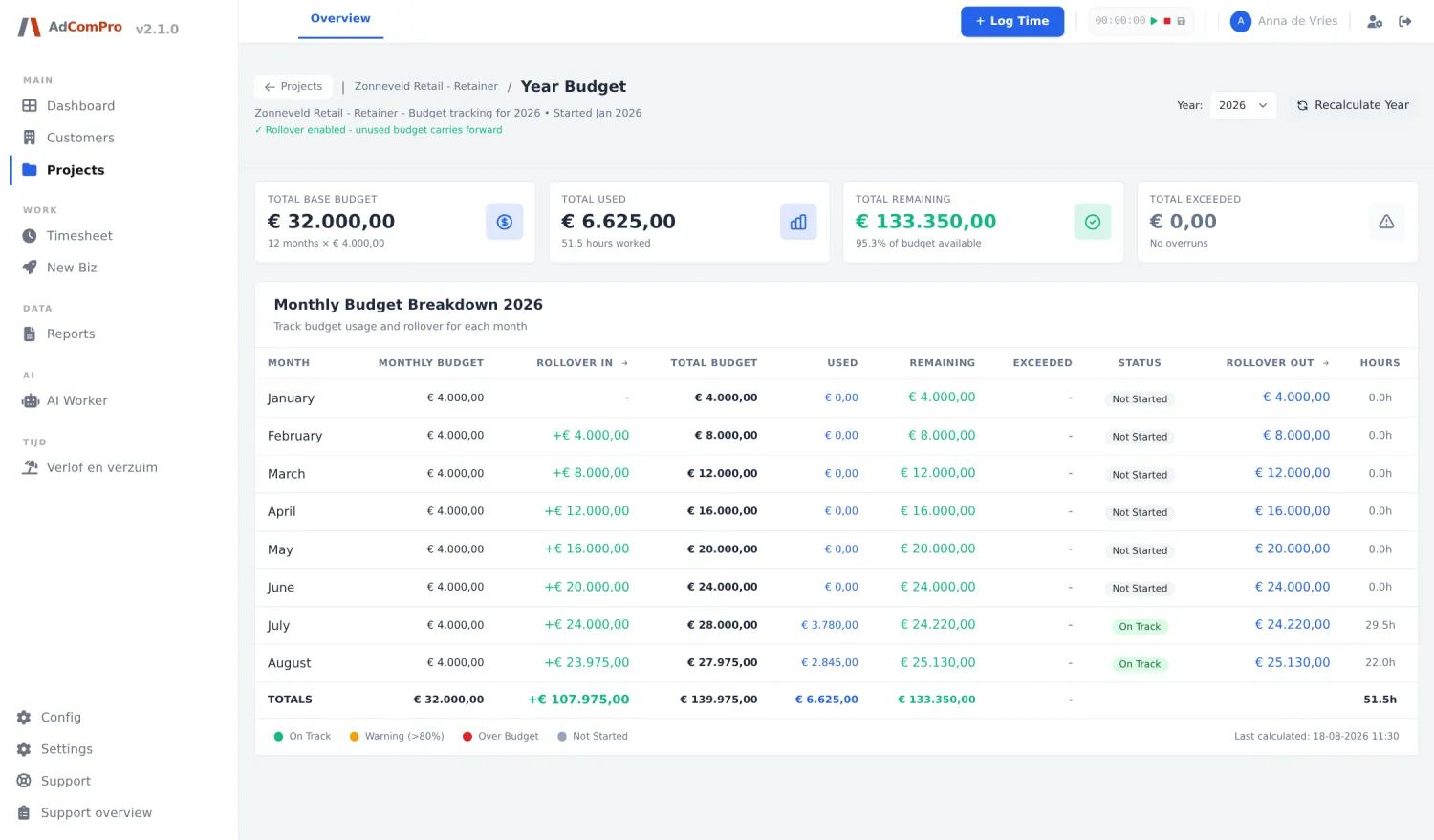
Via Year Budget. Per month you see the available budget, the value of the work done, the costs and the balance that goes to the next month. If a balance correction has been booked (chapter 17), an extra column Correctie appears with the reason, and below the table a written explanation.