Path: /prospects · sidebar New Biz
For work that is not a customer yet. Each prospect appears as a card in one of the four columns.
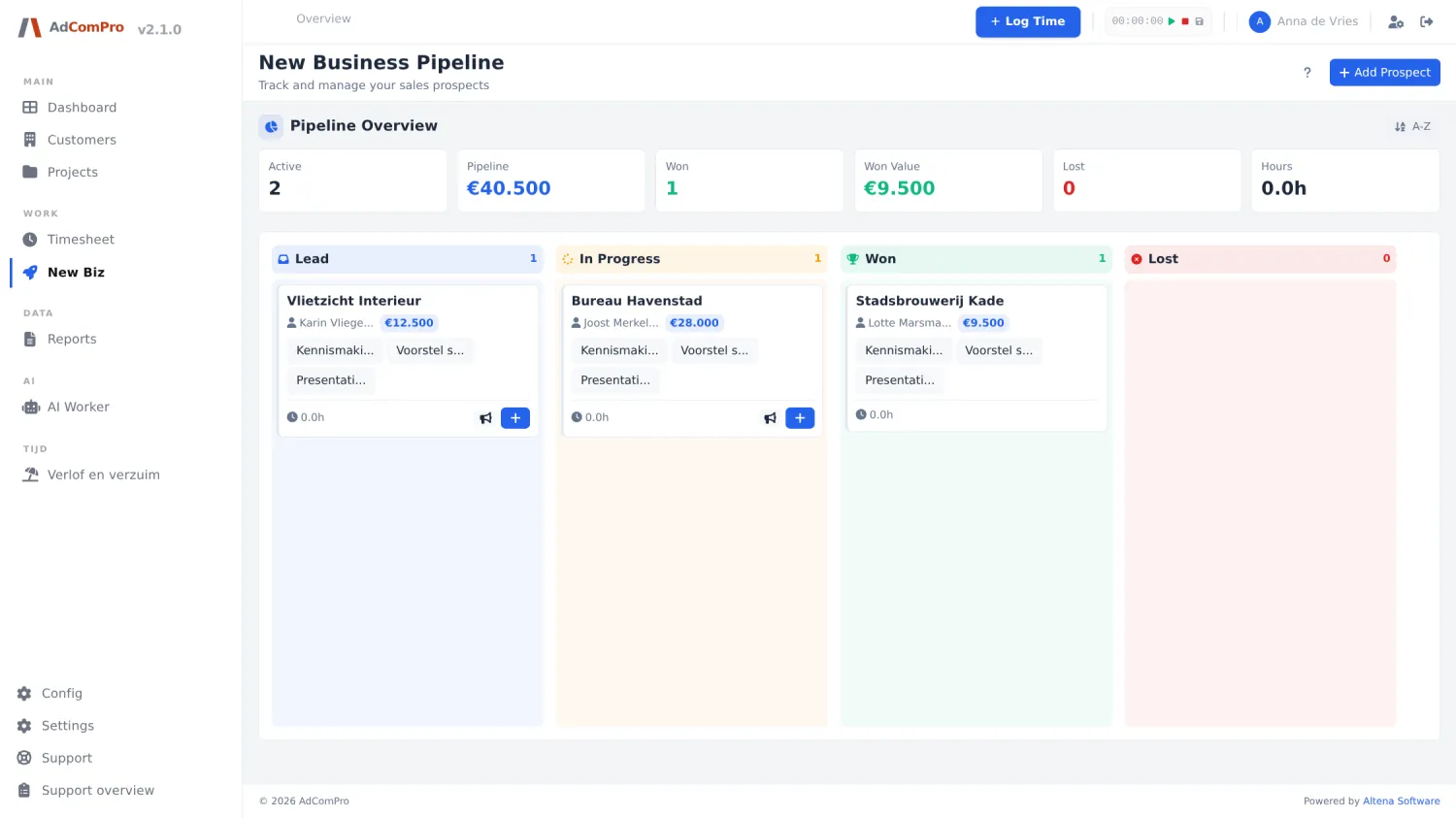
| Element | What it does |
|---|---|
| Counters | Active, Pipeline (expected value), Won, Won Value, Lost and Hours: the hours you have put into acquisition. |
| + Add Prospect | New prospect: company name, contact person, email, phone, city, website, source, expected value and a note. |
| A-Z | Sorts the cards alphabetically instead of in your own order. |
| Dragging a card | Moves the prospect to another column; that is the status change itself. |
| Clicking a card | Opens the prospect with tasks, notes, logged hours and the button to turn it into a customer. |
You log acquisition hours via the New Business tab in the logging popup (chapter 4). They are never billable and are counted separately, so you can see how much time goes into new customers.
If it becomes a customer, you convert the prospect: the details move to a real customer and you can create a project right away. The logged acquisition hours stay with the prospect.