
Agency Time Tracking Software: All Features
Complete project management: projects, time tracking with approval, rollover budgets, invoicing, CRM and an AI assistant that answers questions about your administration.
01 · Projects
See how project planning for agencies and project budget tracking connect to delivery.
Project management
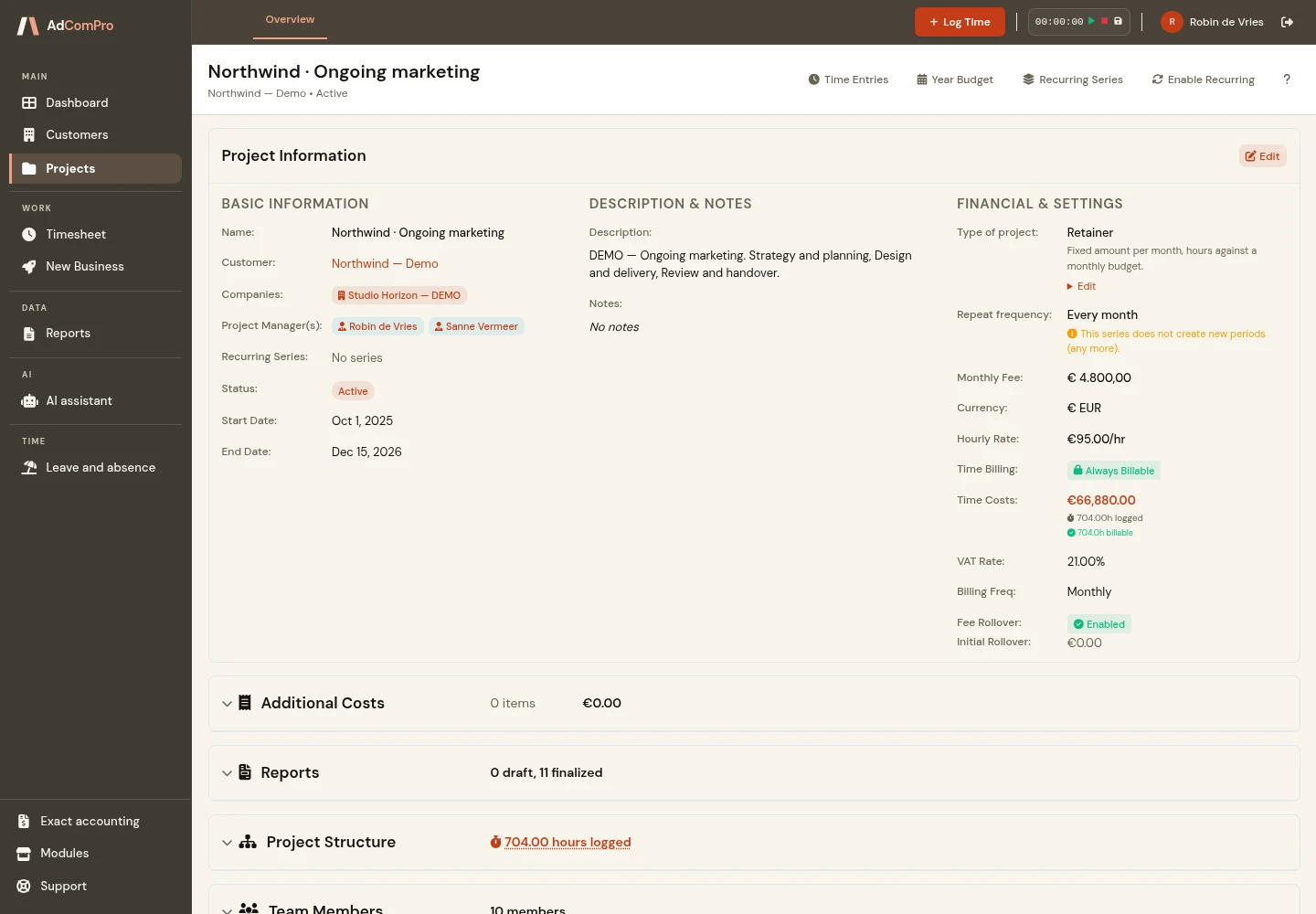
Organise an assignment into milestones and tasks, each with a status, estimated hours and pricing agreement. The project lead can compare progress with the original scope and identify where additional work needs discussion.
- Drag and drop to reorder anything, at any level
- Reusable project templates, imported when you create a project
- A service catalogue for recurring deliverables, imported as line items with their own pricing
- Cross-company teams: people from different entities on one project, each with their own permissions
02 · Time
Time tracking with approval
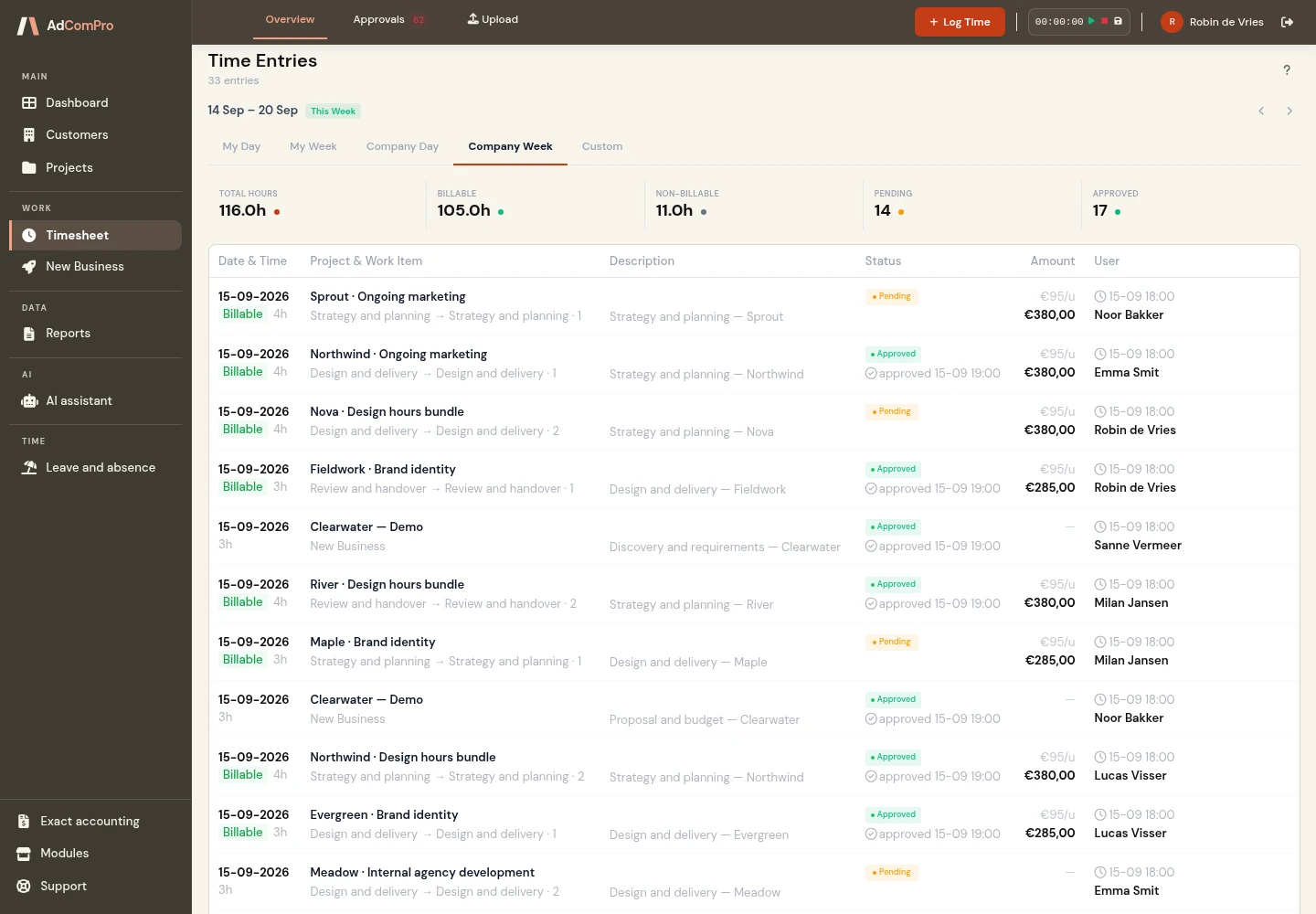
Team members log time against a milestone or task. The approval step lets a responsible colleague review entries before they are used for invoicing. Logged hours remain connected to the work delivered and the client agreement. Explore the complete workflow for agency time tracking.
- Billable and non-billable in the same log
- Bulk approve or reject, with a reason recorded on rejection
- Auto-approval for people you trust, marked as such in the audit trail
- Rates resolve through four levels (task, milestone, project, company), so an exception never means editing every entry
AdComPro on your phone
Track your time and reach client contacts. Wherever work takes you.
After a client meeting, between projects or on site: record your time while the work is still fresh in your mind. AdComPro has a dedicated phone view for the tasks you need on the go.
Record time quickly
Log project time or internal time using a compact form. Once saved, the entry appears immediately under My hours.
See your own hours
Review your entries by week and check what you have already recorded. A clear list keeps your hours readable on a small screen.
Keep client contacts close
Search for a contact or company, call or email directly, and download a contact card to save their details in your phone’s address book.
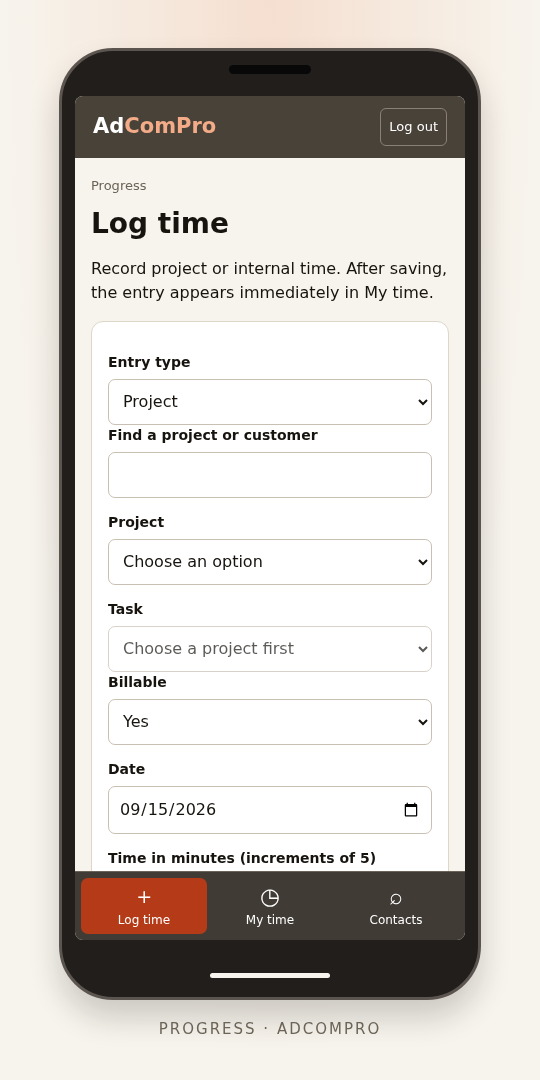
A phone screen calls for focus
When you are out and about, you want to finish a task quickly. The phone view focuses on time entry, your own hours and contacts, with clear buttons and concise overviews. Use the full environment on your laptop or desktop for planning, project management, reports and invoicing.
The same workspace, the same account
Sign in through your phone’s browser. AdComPro opens the phone view automatically. You use the same account and existing permissions, and your entries go into the same administration. An internet connection is required.
Add AdComPro to your home screen
Open app.adcompro.app/mobile on your phone. In Safari, use Share and choose Add to Home Screen. In Chrome on Android, open the menu, choose Add to home screen and create a shortcut. You can then open AdComPro from its own icon and sign in as usual.
The interactive demo is available on a laptop or desktop. Use the phone view with your own account, including during your free trial.
03 · Project types
Seven kinds of project, one administration
Not every agreement bills the same way. A project type answers three questions at once: what pot the hours are set against, when an invoice arises, and whether hours are logged at all. Choose the type and the form drops the fields that do not belong to it, so a monthly fee can no longer sit on a one-off assignment.
- Retainer: a fixed amount per period, hours against a monthly budget, and what is left carried into the next month
- Support contract: the pot is in hours instead of euros, everything above the included hours goes at a second rate, and unused hours lapse
- Fixed price: one contract sum invoiced in terms, each tied to a date, a milestone or your say-so, with the margin next to what has been spent
- Prepaid bundle: hours bought up front and invoiced at purchase, drawn down oldest bundle first, so expired hours stay separate from used ones
- Time and materials: hours times rate per period, with an optional ceiling that warns instead of blocking
- Subscription: hosting, licences and other fixed amounts per period, the one type that takes no hours at all
- Internal work: hours for cost insight, never an invoice
Each type is a module of its own. Switch one off and it is no longer offered for new projects, while the projects already on it keep their fields and their figures.
04 · Retainers
Periods that create themselves
For ongoing client agreements, AdComPro creates the next project period in advance: monthly, every two months or quarterly. Your team can log time in the correct period, while each period keeps its own report and invoice.
- The next period appears a set number of days in advance, seven by default
- It is built from the period that just ended rather than from a template: the milestones and tasks still open, the team with their permissions, the entities charging in, and the recurring costs
- Completed milestones and tasks stay behind, so a period starts with what is genuinely still running
- A line you deferred on last period’s invoice comes across to the new one, so work does not fall between two months
- Every period gets its own report and its own invoice, and they go in order: a period cannot be reported before the one before it is finalised
- Ending is a single action from any period in the series: stop after a given month and nothing new is created
Open work and recurring agreements carry over to the next period. This reduces repeated data entry at month-end and helps you track work across successive periods.
05 · Money
Budgets that roll over
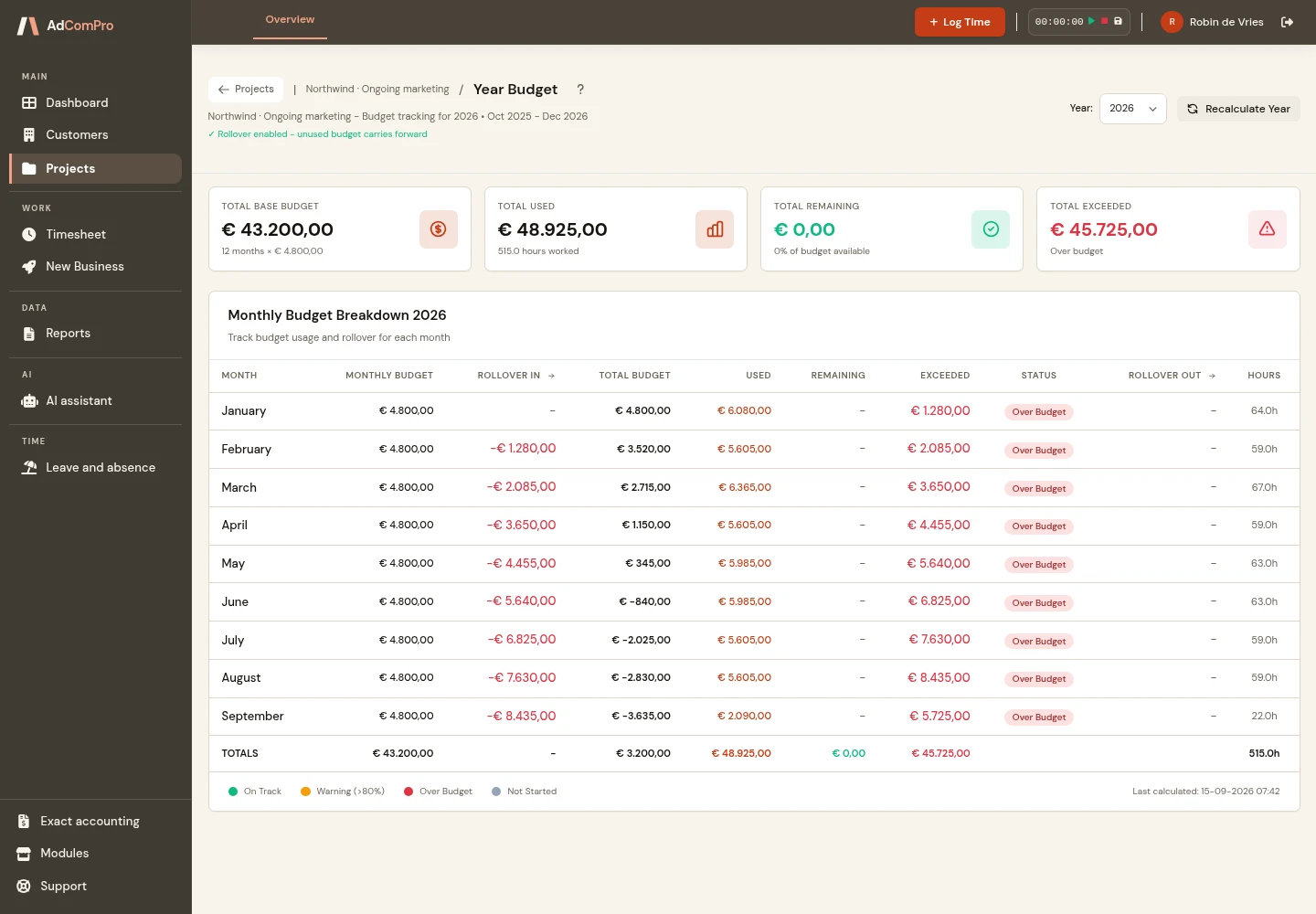
See the monthly budget, logged time and costs, and remaining balance for each client project. Retainer budgets carry over to the following month. Discuss variances with the client using the same figures as your administration.
- Monthly snapshot per project: budget, rollover in, costs, budget left, rollover out
- Additional costs, one-off or recurring, marked either inside the fee or on top of it
- Cost categories for hosting, software, licences and services, with vendor and reference
- Budget history so you can see the pattern, not just this month
06 · Invoicing
Invoices built from the work
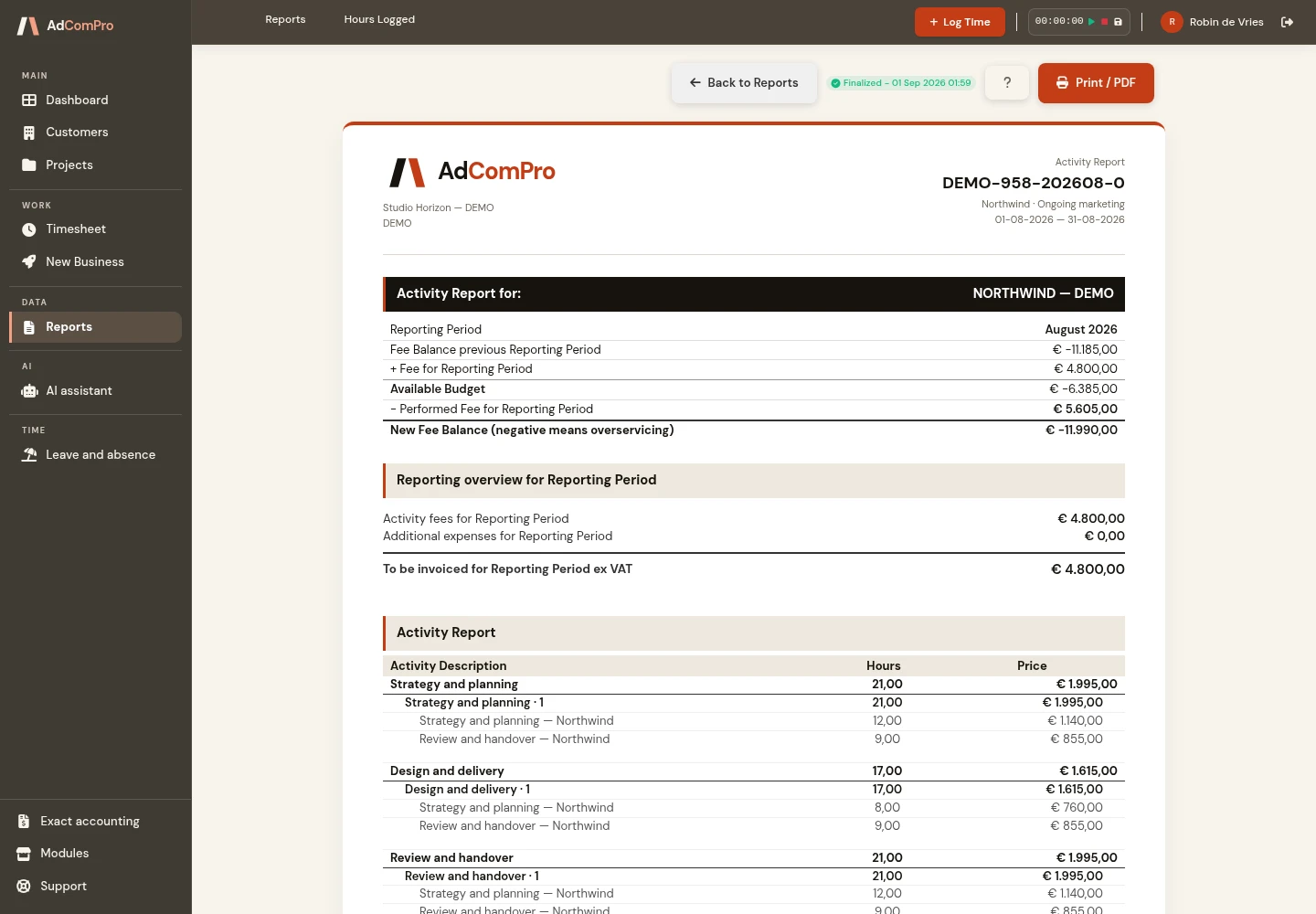
Create a draft invoice from approved time and costs, grouped by milestone or task. Review and adjust its lines before finalising it. This reduces retyping and provides a clear explanation of the work being billed. Read how to create invoices from logged hours.
- Draft → finalised → sent → paid, with deletion only allowed on drafts
- Defer a line to next month without losing it
- A drag-and-drop template builder with seventeen content blocks, configurable per block
- Template priority: project overrides customer, customer overrides company
- VAT per line, discounts, and inter-company charging between your own entities
- Billing in another currency, at that month’s average exchange rate, fixed once the invoice month is closed
07 · Clients
CRM with a memory
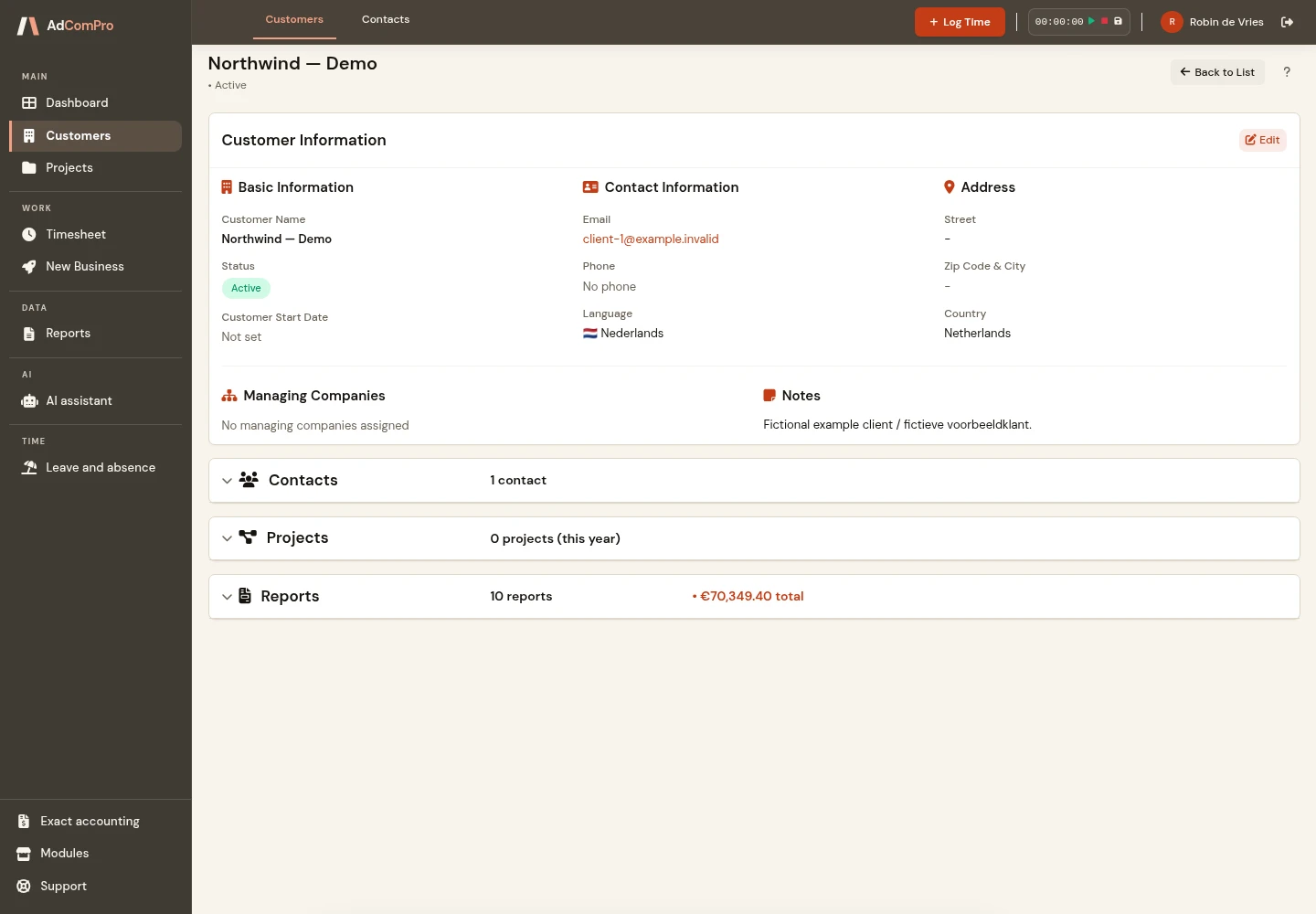
Keep clients, contacts and company relationships together with their projects. The change log shows who updated information and what changed, helping colleagues take over a client relationship using the same current information. Explore CRM for agencies to see how client management connects to project delivery.
- Full activity timeline per record, in chronological order
- Field-level change history: “updated email from x to y”, not “record updated”
- Company relations shown as badges, primary relation highlighted
08 · AI assistant
Ask your administration a question
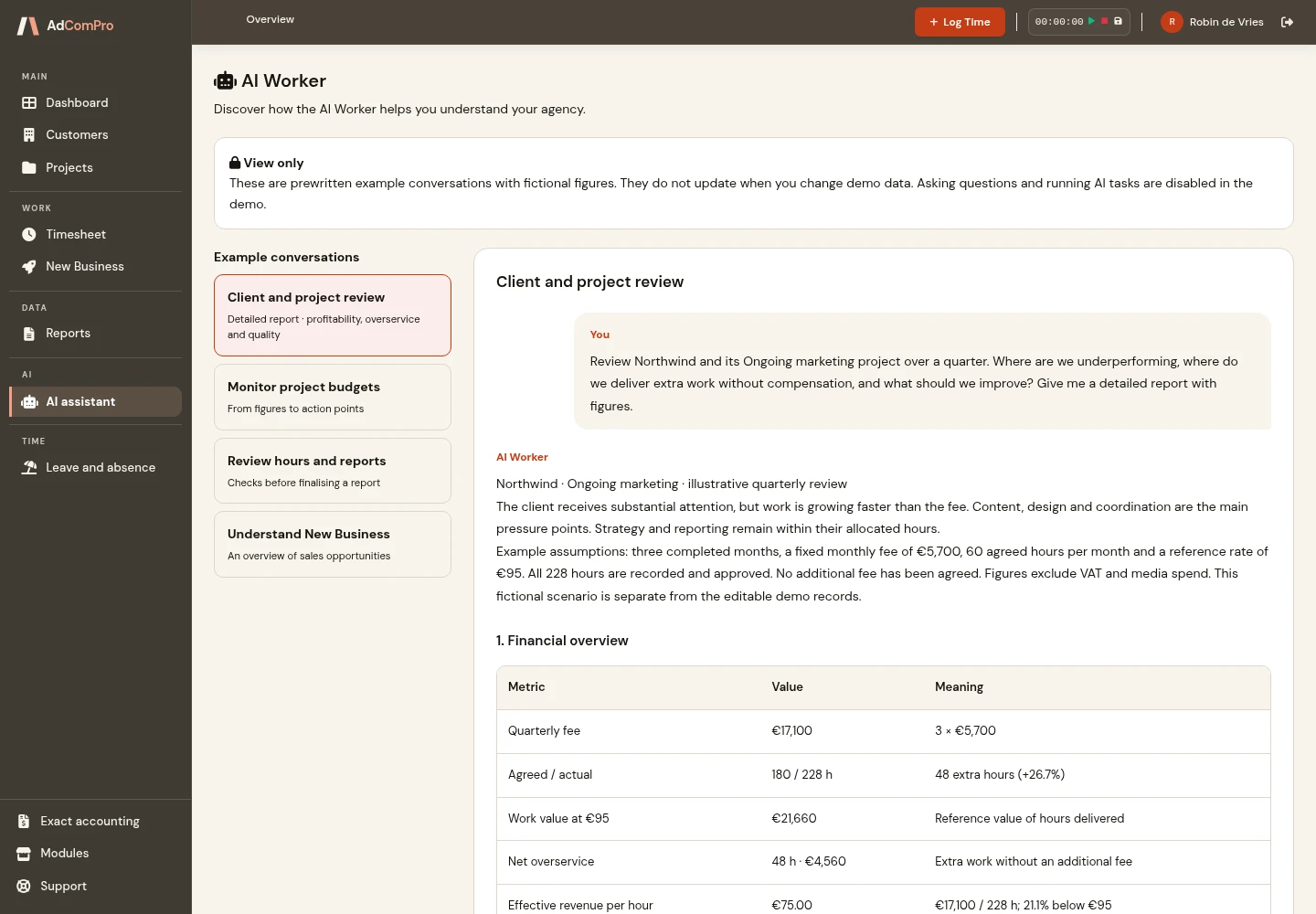
The questions you would otherwise answer by opening four screens and a spreadsheet, asked in plain language instead. The assistant reads your own projects, hours, budgets and invoices, and answers from the same numbers the rest of the platform uses.
- “Which projects are over budget this month?”: with the amount each one is over
- “How many billable hours are still uninvoiced?”: per project or per client
- “Where did the time on this project go?”: split by milestone and by person
- “What did Sanne work on last month?”: hours per project and per milestone
- “Which projects have gone quiet?”: active projects with no hours logged in 30 days
- “What needs my attention?”: a scan for under-reported hours, large deferrals and stalled work
The assistant provides information from your administration. Reviewing, changing, approving and invoicing remain in the hands of your team.
09 · Bookkeeping
Permissions that shape themselves to your agency
Every agency divides the work differently. So you decide who may do what: create your own roles next to the standard ones, set per module and per function what each role sees and does, and give an individual colleague a little extra where needed — without handing out a heavier role right away. The administration adapts to your agency, not the other way around. Read how it works.
- Custom roles built on a standard role, for example a bookkeeper or freelancer
- A permission matrix per module and function group, with safe defaults out of the box
- Extra access per person on top of the role — never below it, so a role means what it says
A link with Exact
Transfer invoice data to Exact without entering the lines again. Exact Online uses an integration; Globe and Compact use an import file. Discuss the setup your bookkeeping requires in advance. See how the Exact Online integration for agencies works.
- Sales invoices sent through to Exact Online, with their lines and their VAT treatment
- Exact Globe and Compact through an import file, because those run on your own computer and have no internet connection
- Clients matched to the ones already in your bookkeeping, so you keep one list
- No retyping and no month-end reconciliation between two systems
10 · E-invoicing
E-invoicing via Peppol
A structured e-invoice can be processed directly by the recipient’s accounting software. AdComPro supports preparing and checking Peppol invoices. Sending requires your own Access Point subscription; the available workflows are listed below.
- Invoices in Peppol BIS Billing 3.0, the European standard EN 16931
- Every invoice is checked before it goes out — one that does not add up is refused, because an Access Point would refuse it too
- A readiness check shows which details are still missing, per company and per customer
- Sending runs through your own Access Point subscription; without one you download the file and submit it yourself
Every feature is in every plan
Standard and Partner include every feature on this page, including during the free trial month. Standard costs €19.95 per user per month, excluding VAT. Partner costs €24.45 and adds extra service, a named contact and 20% off custom development. See the pricing page for annual billing and the current offer.