A retainer runs on month after month. Instead of creating a project every month, you let the application do that.
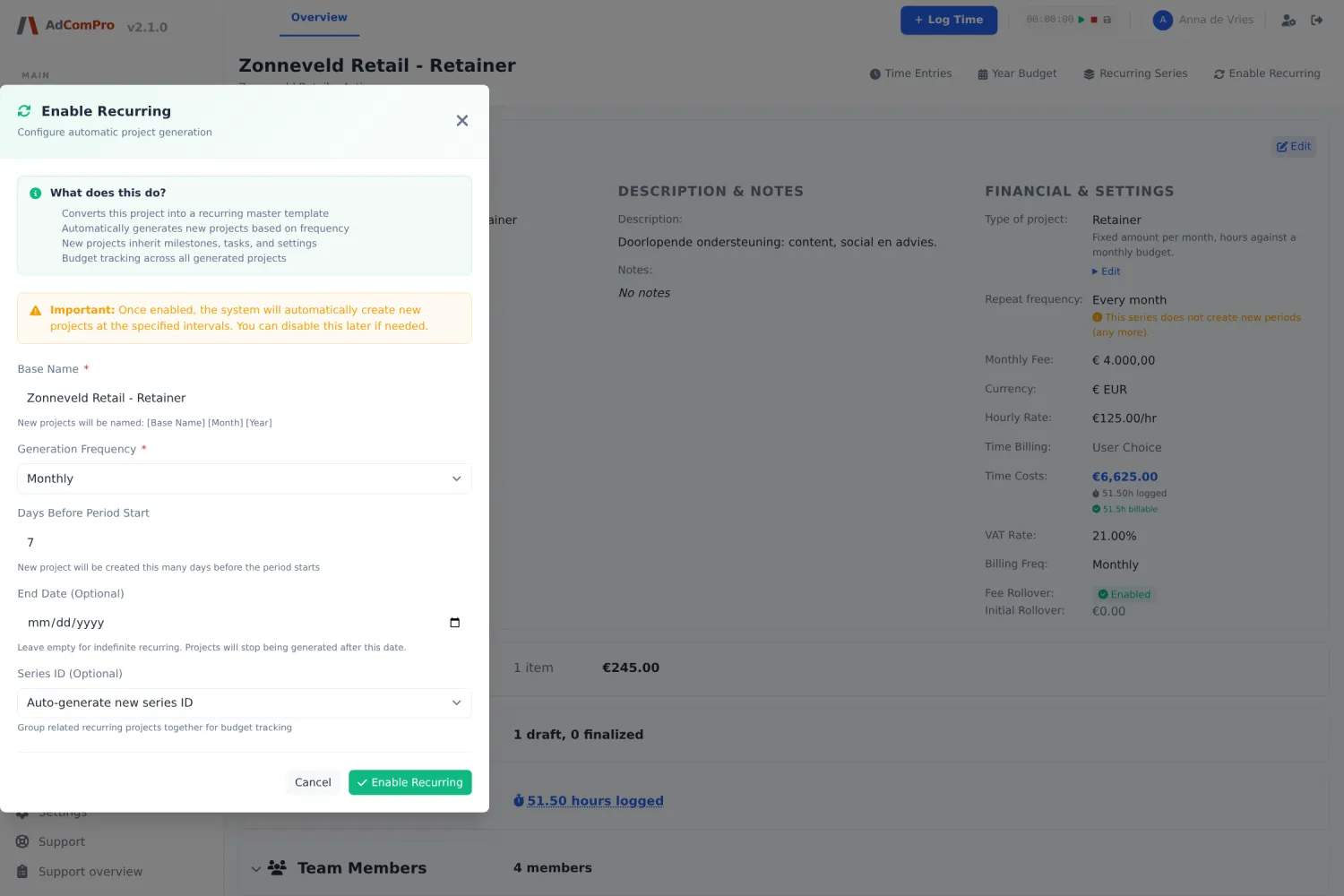
| Field | Explanation |
|---|---|
| Repeat frequency | Every month, every two months, per quarter, half year or year. |
| Days before | How many days before the new period the next project is prepared. |
| Base name | The name the periods are built on, for example “Zonneveld Retail – Retainer”. |
| Series ID | The key that holds all periods together. Automatic or chosen by you. |
| Stop Recurring On | The end date. After that date nothing more is created. |
Stopping the series
On every project in the series, Recurring Series offers the action to end the series after a chosen month. So you do not have to look up the first project of the series first.
Order when closing down. First finalize the report of the last month and only then set the project to cancelled: cancelled projects fall outside report generation. By the way, the status completed does not stop a series — for that you use the end date or cancelled.
Budgets across the whole series
Via Recurring Series you see all periods together and the balance flow across the series: what was available per month, what was spent and what rolled over.