This chapter is about the people in your environment: which role someone has, how much is expected of them, how leave and sickness work, and the report that shows whether the booked hours match that expectation.
Roles
| Role | Scope | Main permissions |
|---|---|---|
| Admin | Own company | Manages users, projects and settings |
| Project manager | Assigned projects | Manages those projects and approves hours |
| User | Assigned tasks | Logs time and views their projects |
| Reader | Assigned resources | Read-only |
Assign the smallest role that lets the work happen. Per project you can refine permissions on top (log hours, approve, see financials, edit fee; see chapter 3), so a heavy role “for convenience” is rarely needed.
If the four roles do not quite fit the way your agency works, you create your own via the top menu Access. A Bookkeeper role that does see reports and invoices but does not manage projects, or a Freelancer who only logs hours: you build it on a base role and adjust per module what it may do, down to function groups like “manage structure” or “financial management”. Extra access for one person goes on top of their role; taking access away per person is deliberately not possible. The advice stays the same — assign the smallest role — but you can now build that smallest role yourself.
Managing users
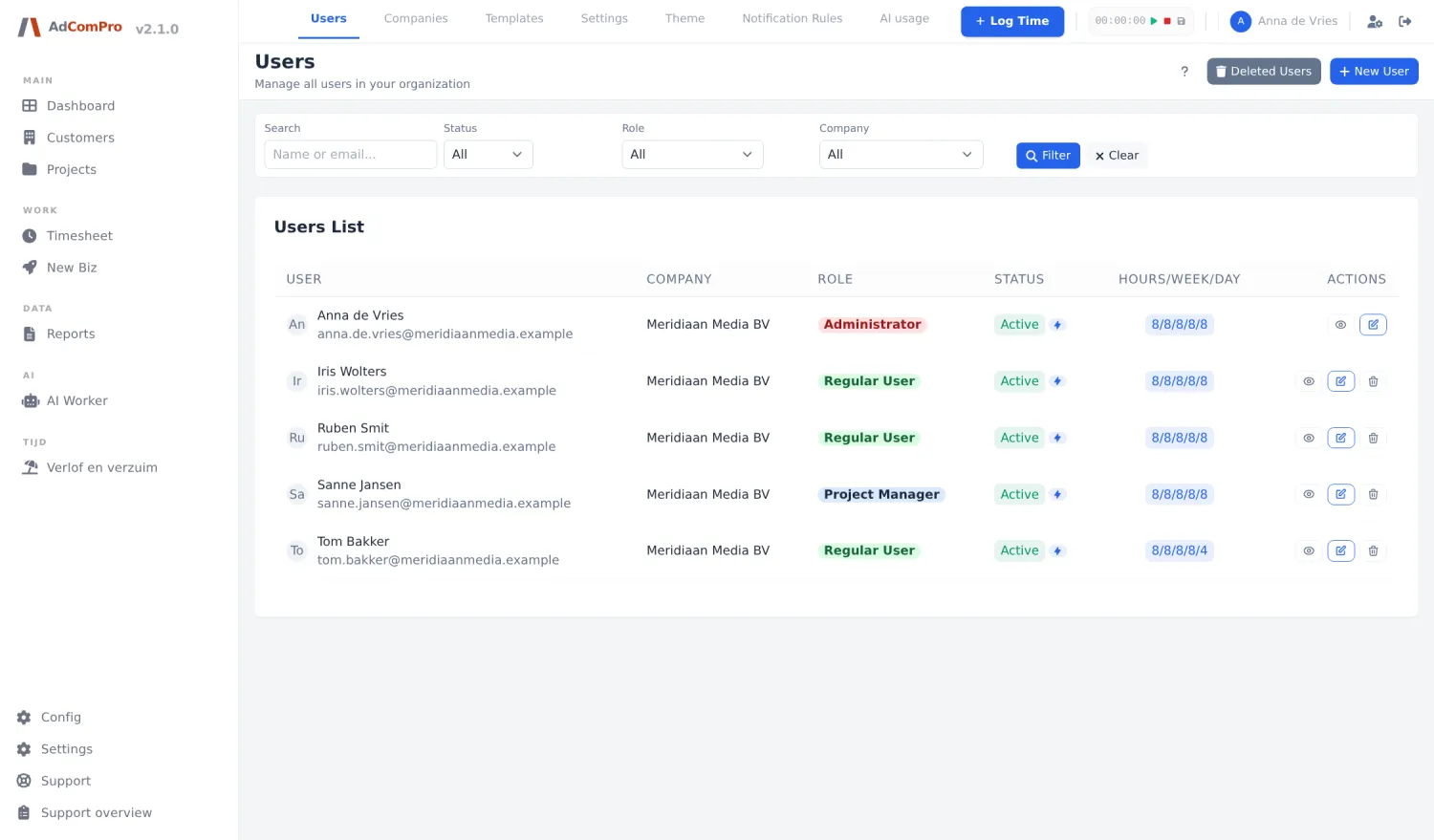
- Creating: name, email, role; a verification email valid for 24 hours goes out automatically. Not arrived? The user’s edit page has a Resend button.
- Temporarily away: set someone to inactive instead of deleting them. Inactive means no login, but still visible in lists.
- Deleting: the default action is reversible: the user moves to Deleted Users and all projects and hours stay intact. Permanent deletion only works from that page, is irreversible, and is blocked while the user has projects or hours. So keep departed employees with history soft-deleted.
- Resetting 2FA and resending verification also happen from user management.
Work schedule
Every user has an expected workload under Expected Hours. That can be a single weekly total (40 hours, split evenly over five days) or, with the work schedule module on, per day: Mon 8, Tue 8, Wed 8, Thu 8, Fri 4. The per-day schedule feeds the dashboard capacity, the hour reminders and the leave calculation; someone who works four hours on Fridays also gets four hours of leave booked for a free Friday.
Leave and sickness
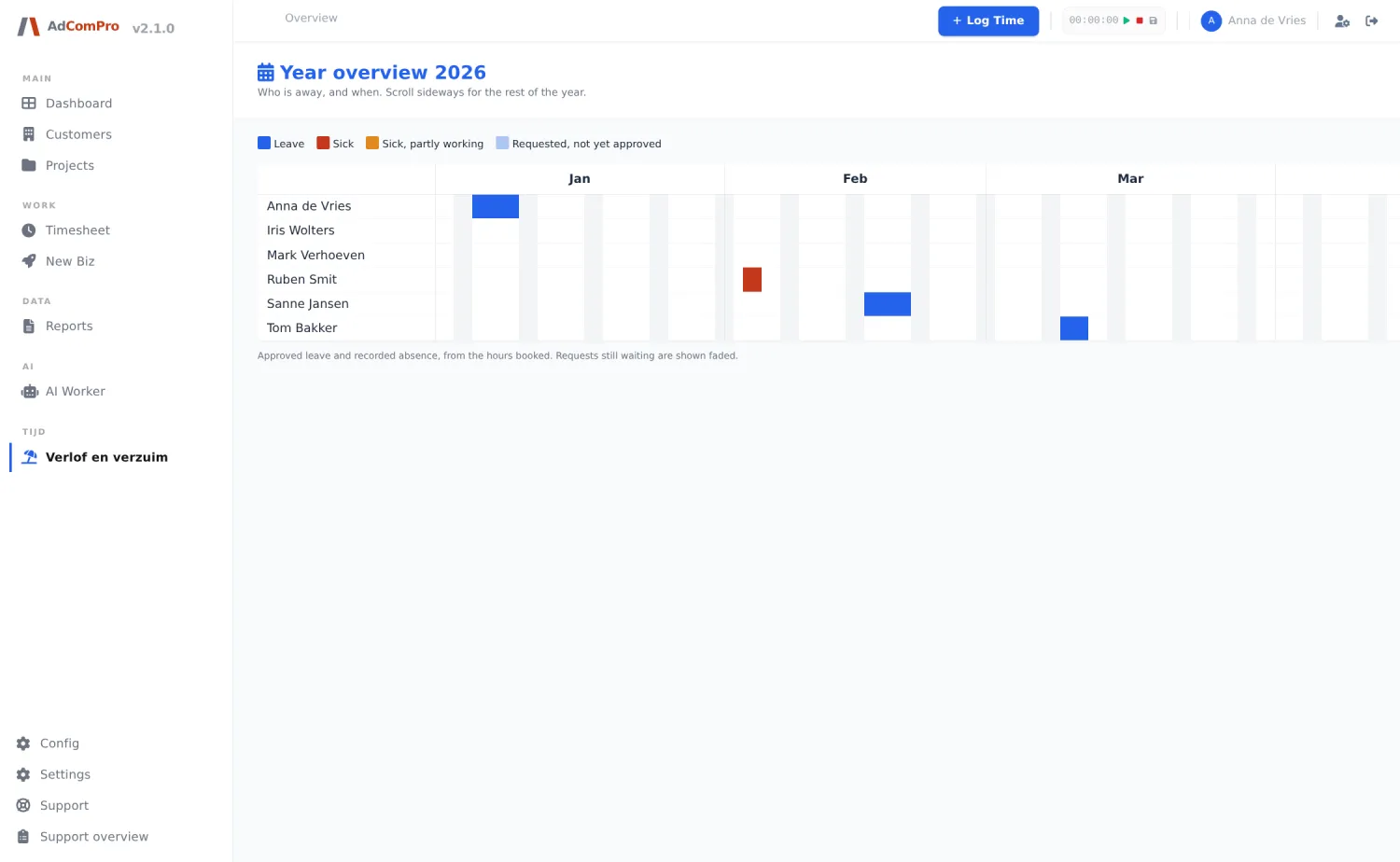
With the Leave and absence module, one simple distinction applies: leave is requested and someone decides on it; sickness is recorded and there is nothing to decide. Both are stored as hours, following the person’s work schedule.
- Requesting: pick a start and end date and submit. Days you do not work are skipped, and so are days that already hold leave or sickness. While undecided you can withdraw it yourself. If the request button does nothing, your work schedule is not filled in per day yet; that is the most common cause.
- Reviewing: approvers are set per company, in the module’s settings; an office manager does not need to become an administrator for it. Rejecting requires a reason. While nothing is configured, approval and overview fall back to the administrators.
- Reporting sick: a start date is enough; the end date is filled in when someone recovers. For reintegration you record how many hours per day someone is working again; only the sick part is booked as sickness.
- The year planner: one line per employee, one column per day, the whole year. Everyone may see it, but what you see depends on your permissions: without overview rights everything is one colour, “absent”. Sickness is health information and does not travel around the office.
Booked versus expected
The Hours Logged report (for administrators and project managers) sets booked hours against expected hours, per week or month, per company and per employee, split into billable, non-billable, internal and new business. Leave and sickness are excluded from both the booked and the expected hours, so absence does not drag down the efficiency score. Click an hour figure to open the specification before drawing conclusions: the score says what is going on, the specification says why.