An overrun often starts long before the final invoice. Project budget tracking means reviewing both the work already recorded and the effort still to come. AdComPro brings project time, rates and costs together, helping your project lead and administration work from the same records.
Define what the budget represents
A client fee, an hours estimate and internal delivery costs answer different questions. An €8,000 client budget describes the agreement; an 80-hour estimate describes expected effort. The internal cost of those hours affects the financial result. Avoid treating these figures as interchangeable.
Record the scope and pricing agreement, and break down the work through milestones and tasks. Establish whether external costs sit inside the fee or are charged separately. Otherwise, the same budget total can mean different things to the client and the project lead.
Build a reliable picture of spending
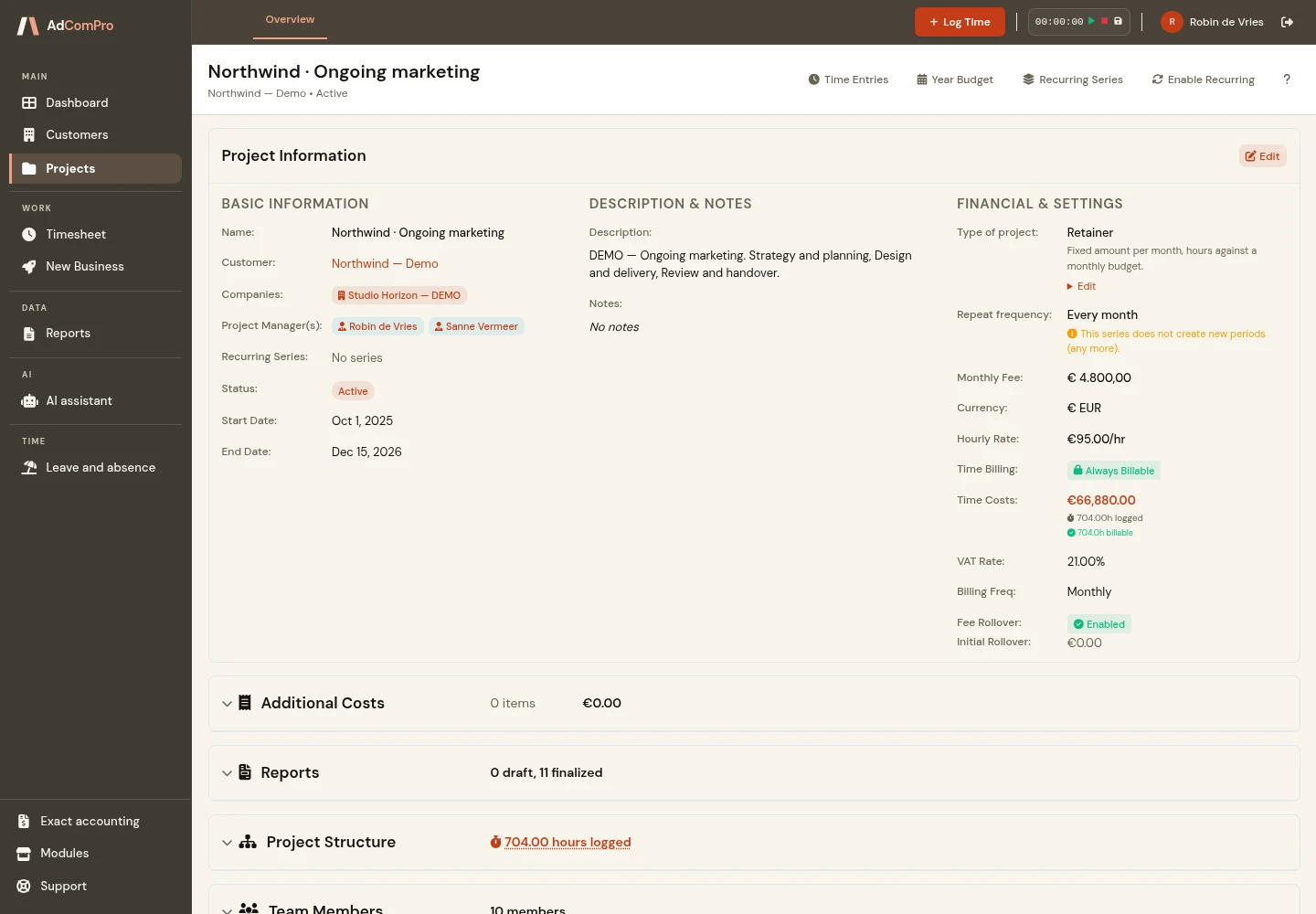
The picture depends on the records behind it. Ask colleagues to record time against the correct work, review unclear descriptions and include costs promptly. A supplier invoice that has not arrived yet may still belong in your estimate of the final cost.
Check which hourly rates apply and distinguish billable from non-billable time. Non-billable work still uses agency resources. Approving time entries provides a check before invoicing; agree separately who reviews the budget and remaining work.
Example: below budget, but heading for an overrun
Illustrative example, excluding VAT: the client agreement is €8,000 and the comparison uses a selling rate of €100 per hour. Recorded effort is 55 hours, representing €5,500. That looks comfortable until the team estimates another 35 hours to finish. Expected total effort is 90 hours, representing €9,000.
The difference against the agreement is €1,000. This is neither an automatic extra invoice nor a calculation of net profit. It is a reason to discuss scope, estimates and any additional agreement. A fixed fee does not increase simply because delivery takes longer internally.
Match the review to the project type
For hourly work, review hours, rates and agreed limits. For fixed-price delivery, pay particular attention to remaining effort, internal costs and the terms for additional work. For a retainer, review the period, spending and balance carried forward under its setup.
AdComPro shows monthly retainer budgets, spending and the remaining balance. Read how retainer budget rollover works before applying the same assumptions to another kind of project. Different agreements need different controls.
Turn the numbers into a decision
Hold a short recurring review: what information is missing, what remains to be done and which variance needs a decision? Ask the project lead to estimate the remaining effort. A percentage of budget consumed says little without a view of the outstanding work.
Agree the next step before invoicing time and costs. That could mean changing a deliverable, agreeing extra scope or consciously absorbing additional effort. The practical guides explain more about project revenue, costs and profitability.
Test budget tracking with a familiar project
Use a trial project with a clear pricing agreement, a few time entries and an external cost. Check together what each figure means and how corrections affect your review. Then compare the available features and plans.
Can software prevent an overrun? Not by itself. Visibility helps you recognise a variance; timely records, realistic estimates and decisions still matter. Evaluate the way your team will use the information as well as the screen.