Between logged hours and a sent invoice, many agencies have a manual step: retyping, adding up, checking. That’s exactly where hours get lost and where the month-end close runs late. Use our practical review of unbilled hours alongside this workflow.
The problem
The step from hours to invoice
As long as time tracking and invoicing are two separate systems, someone has to bridge the gap. That usually goes fine, but it takes time and it can’t be traced back. When a customer asks a month later where an amount comes from, the searching begins.
How AdComPro does it
The invoice follows from approved hours and costs
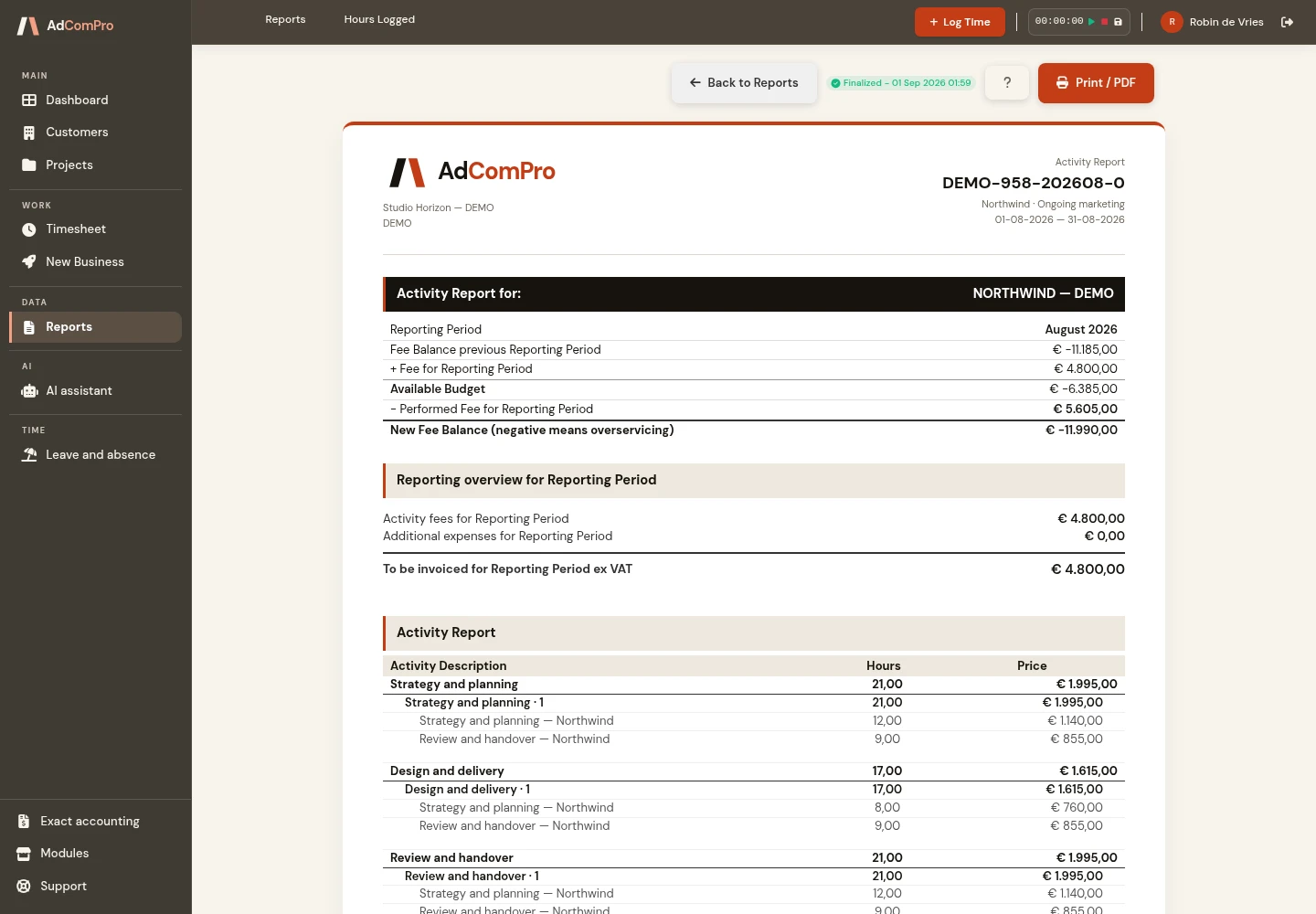
An invoice is built from approved hours and incurred costs, grouped per milestone or per task. So you don’t start with an empty document, but with a proposal that already matches the work that was done.
From draft to paid
- As long as the invoice is a draft, you can edit every line
- Finalizing locks it, because an audit trail is worth more than a quick correction
- Then come sent and paid; deleting is only possible for a draft
- You can push a line forward to next month without losing it
What the invoice looks like is up to you. There’s a template builder with seventeen content blocks you can drag and configure per block. A template at project level takes precedence over a template at customer level, which in turn takes precedence over the company template. That way one customer can have their own layout without changing everyone else’s.
From time entry to a clear invoice
Start with a specific client project, then record time against the task or milestone that explains the work. A useful entry describes the activity clearly enough for the project lead to review it later. Distinguish billable work from internal work before preparing the invoice. The complete workflow begins with time tracking for agencies.
Review hours and apply the agreed rate
Use time approval before invoicing to check the entries. Review the billing period, the work delivered and any agreements with the client. An approval step helps establish which hours are ready for invoicing; it does not replace the commercial agreements behind the project.
AdComPro resolves hourly rates at task, milestone, project and company level. The most specific configured rate takes precedence. This lets a particular task use its own rate without requiring the entire project to use the same exception. Before finalising the invoice, check the applicable rate and the resulting line amounts.
Keep recurring work in the right period
A retainer has its own reporting and billing rhythm. Use automatic retainer renewal to prepare the next project period and check the carried-over retainer budget when reviewing the balance. Keeping each period distinct helps you explain which work and costs an invoice relates to.
Connect the invoice to your bookkeeping
After reviewing the invoice, consider the accounting handoff. The Exact Online integration transfers sales invoice data, including lines and VAT treatment. Agree the customer mapping and required settings with the person responsible for bookkeeping. Exact Globe and Compact use import files; their process differs from the Online integration.
Try a complete billing cycle
Choose one representative project for a trial: record a few tasks, approve the time, create a draft invoice and check whether a colleague can explain each line. Review the invoice layout before finalising. You can request a demonstration to discuss your own billing process or compare the current plans.
Questions
What people ask about this
Can I postpone a line to the next month?
Yes. Pushing it forward takes the line off this invoice without deleting it, so it automatically comes along again next time.
Why can’t a finalized invoice be changed anymore?
Because an invoice that changes after the fact no longer proves anything. As long as it’s a draft, anything goes; after that, a credit note is the proper route.
Can I set the VAT per line?
Yes, you set VAT and discount per line. Cross-charging between your own entities is part of invoicing too.
Try it yourself
Run a month through it
Log a week of hours, approve them and turn them into an invoice. That’s the shortest way to see whether it fits the way you work.