Time tracking for agencies starts with the work you do for a client. In AdComPro, your team records time against milestones and tasks, a responsible colleague reviews it, and approved hours form the basis of the invoice. Projects, rates and budgets stay connected. Put the figures to work: learn to calculate project profitability and find unexplained gaps between hours and invoices.
See where your agency’s time goes
A campaign, a website and a monthly client agreement each need a different breakdown of work. If everyone logs time only against a client, the total tells you little about the stage that needed extra attention. A separate invoicing spreadsheet then leaves someone rebuilding that context at month end.
AdComPro connects each time entry to a milestone or task. You can discuss the time spent on a particular piece of work, distinguish billable from non-billable activity and compare the work with the original agreement. The same record supports both the project lead and the colleague preparing the invoice.
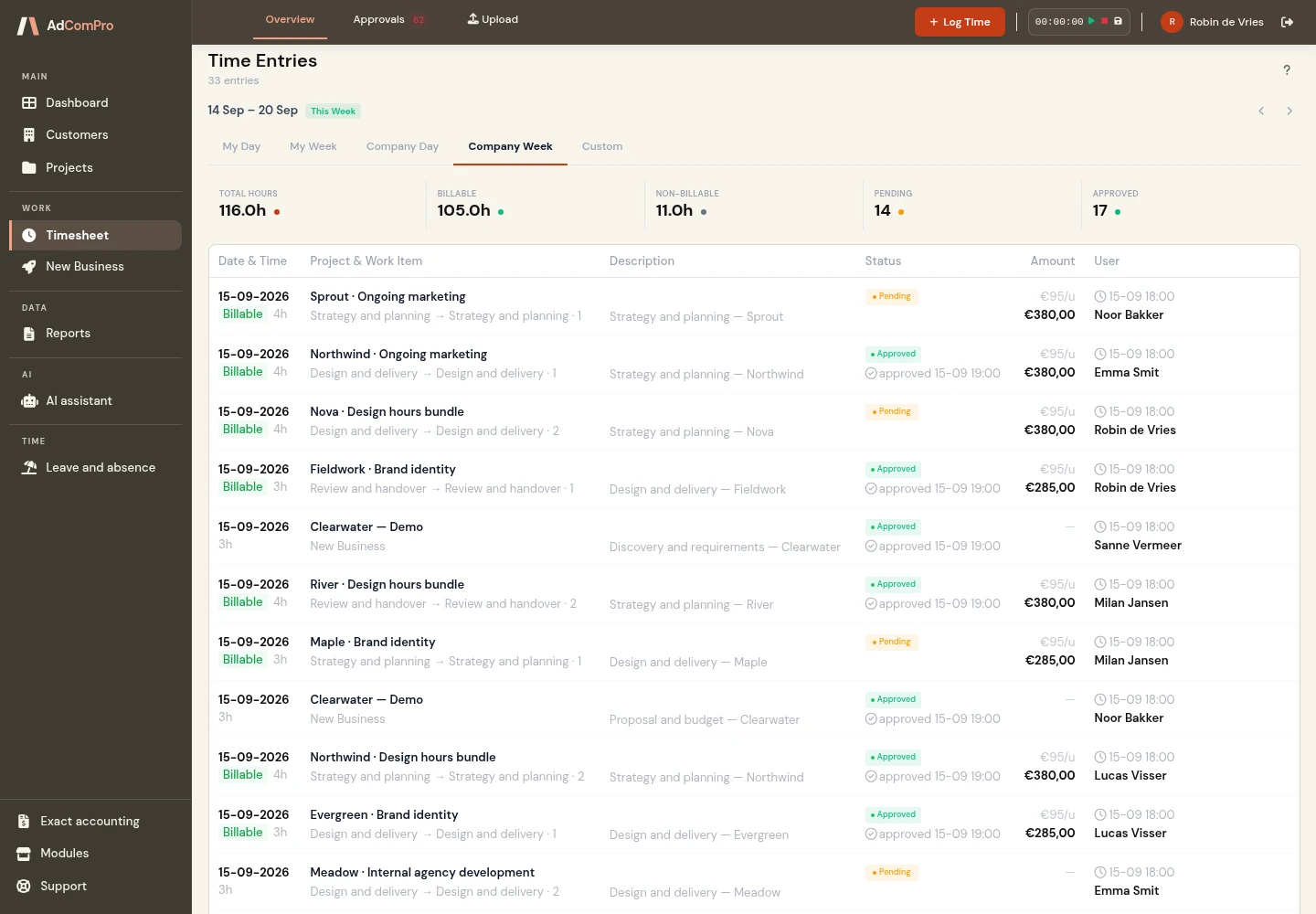
From a time entry to a checked invoice
- Set up the project. Divide the assignment into milestones and tasks, with the relevant pricing agreements.
- Record the work. Keep billable and non-billable time in the same timesheet.
- Review the entries. Approve time or reject it with a reason, so the team knows what needs correcting.
- Create the draft invoice. Use approved hours and costs, grouped by milestone or task, and check the lines before finalising.
You can review entries in bulk and use automatic approval for trusted colleagues. The log records that distinction. Read about time tracking with approval and invoicing billable hours.
Match time tracking to the client agreement
Agencies often combine time-and-materials projects, fixed-price work and retainers. On an hourly assignment, recorded time helps determine the amount to invoice. On a fixed-price project, the same records help you compare time spent with the agreed fee. Internal work can be tracked for cost insight without generating an invoice.
For a retainer, you see the budget and spending for each period. Unused budget can move into the following month. See how retainer budget rollover works and how automatic retainer renewal prepares the next period.
Apply the right hourly rate
One client agreement may use a different rate from another, and a specific task may need its own price. AdComPro checks the task, milestone, project and company levels, from the most specific setting to the general default.
Set up those exceptions where they belong and test the result on a representative project. The explanation of different hourly rates within one project shows how the hierarchy works.
Keep client records and accounting connected
Time tracking sits alongside the client record and project structure. With CRM for agencies, you manage clients and contacts next to the work you deliver. Approved time and costs then feed the draft invoice.
If your agency uses Exact, the Exact Online integration transfers sales invoices for accounting. Exact Globe and Compact use an import-file workflow instead.
Try one real client assignment
Choose a project your team recognises, such as a campaign with strategy, creative work and delivery. Log a week of time, review the entries and create a draft invoice. Check whether the allocation, rates and descriptions match the agreement you made with the client.
All features are available during the free trial month. Compare the plans and pricing and use the interactive demo to see the process before setting up your own project.
Questions about agency time tracking
Can we record non-billable time?
Yes. Billable and non-billable work can be recorded in the same system, so you can distinguish client work from time that will not be charged.
Does every entry require manual approval?
You can review and approve or reject entries in bulk. Automatic approval is available for trusted colleagues and remains visible in the log.
Can I still change the invoice?
Yes, while the invoice is a draft. Check the lines before finalising it. A finalised invoice is locked.
Does this work for retainers?
Yes. Record time and costs in the relevant project period and compare them with the budget. Unused retainer budget can roll into the next month.
Try time tracking with your own team
Follow one project from time entry to draft invoice. Explore all features or start your free month.