AdComPro editorial team · 27 September 2026
The campaign is delivered, the client is happy and the team has worked hard. Then someone asks what the project actually earned. The quote is in an email, the hours are in a spreadsheet and the last supplier invoice has not arrived yet. Calculating project profitability starts by bringing those pieces together. Clear definitions matter more than a complicated dashboard. To review the situation during delivery, explore project budget tracking.
In this guide
- Start with three amounts
- A worked example: the revenue stays, the margin shrinks
- Find the difference where the work happens
- Review the forecast while you can still act
- Use the result to improve the next estimate
- Try this on one project this week
Start with three amounts
Take the revenue attributable to the assignment, internal labour costs and direct external costs. Use amounts excluding VAT throughout and compare the same project period. An invoice and a payment are different events. For this calculation, use the revenue attributable to the work delivered; do not automatically count a deposit for future work as completed project revenue.
Multiply actual hours by an internal cost rate to estimate labour costs. This is different from the hourly rate charged to the client. Decide which costs your internal rate includes. If overhead is already included, do not deduct it again. Without allocated overhead, the result is a project contribution, not your agency’s complete net profit.
A worked example: the revenue stays, the margin shrinks
Suppose an agency delivers a €12,000 project. Its internal cost rate is €50 an hour and direct external costs are €2,000. These figures are an illustrative example, not a customer result or an automatically generated AdComPro report.
| Item | Planned: 120 hours | Actual: 150 hours |
|---|---|---|
| Project revenue | €12,000 | €12,000 |
| Internal labour costs | €6,000 | €7,500 |
| Direct external costs | €2,000 | €2,000 |
| Project contribution | €4,000 | €2,500 |
| Contribution as a share of revenue | 33.3% | 20.8% |
Calculate revenue minus labour costs minus direct external costs. Divide the result by revenue and multiply by 100 for the percentage. The percentage is not meaningful when revenue is zero. Here, thirty extra hours reduce the contribution by €1,500 while the invoice value stays the same. Revenue alone cannot show that change.
Find the difference where the work happens
A total of 150 hours tells you that the project exceeded its estimate, but not why. Break work into recognisable stages such as strategy, design and revisions. Compare estimated and recorded time at that level. Was the original estimate too tight? Did the client request extra work? Or did delivery take longer than expected?
With time tracking for agencies, entries stay connected to the work. Include non-billable project activity in your analysis: an internal meeting may not generate an invoice line, but it still uses capacity. Agree the same recording rules across the team so that one person’s figures include meetings and another person’s figures do not silently exclude them.
Review the forecast while you can still act
Do not wait for the final invoice. Set aside a short weekly review with the project lead: what has been spent, what remains to be done and is the estimate to complete still realistic? Using 80% of the budget is not automatically a problem. It depends on how much of the assignment is finished.
When additional work appears, clarify whether it falls inside the agreed scope. An extra revision may be a deliberate service decision; make that decision visible. On hourly work, check the applicable rate agreements. On fixed-price work, compare costs with the agreed revenue. The guide to fixed-price versus hourly billing explains that distinction.
Use the result to improve the next estimate
A project review should produce a better next decision, not a hunt for someone to blame. Capture what was underestimated, how many revisions were realistic and which client inputs arrived late. Then update the estimating process or delivery approach. An insight that never reaches the next proposal will not change the next project.
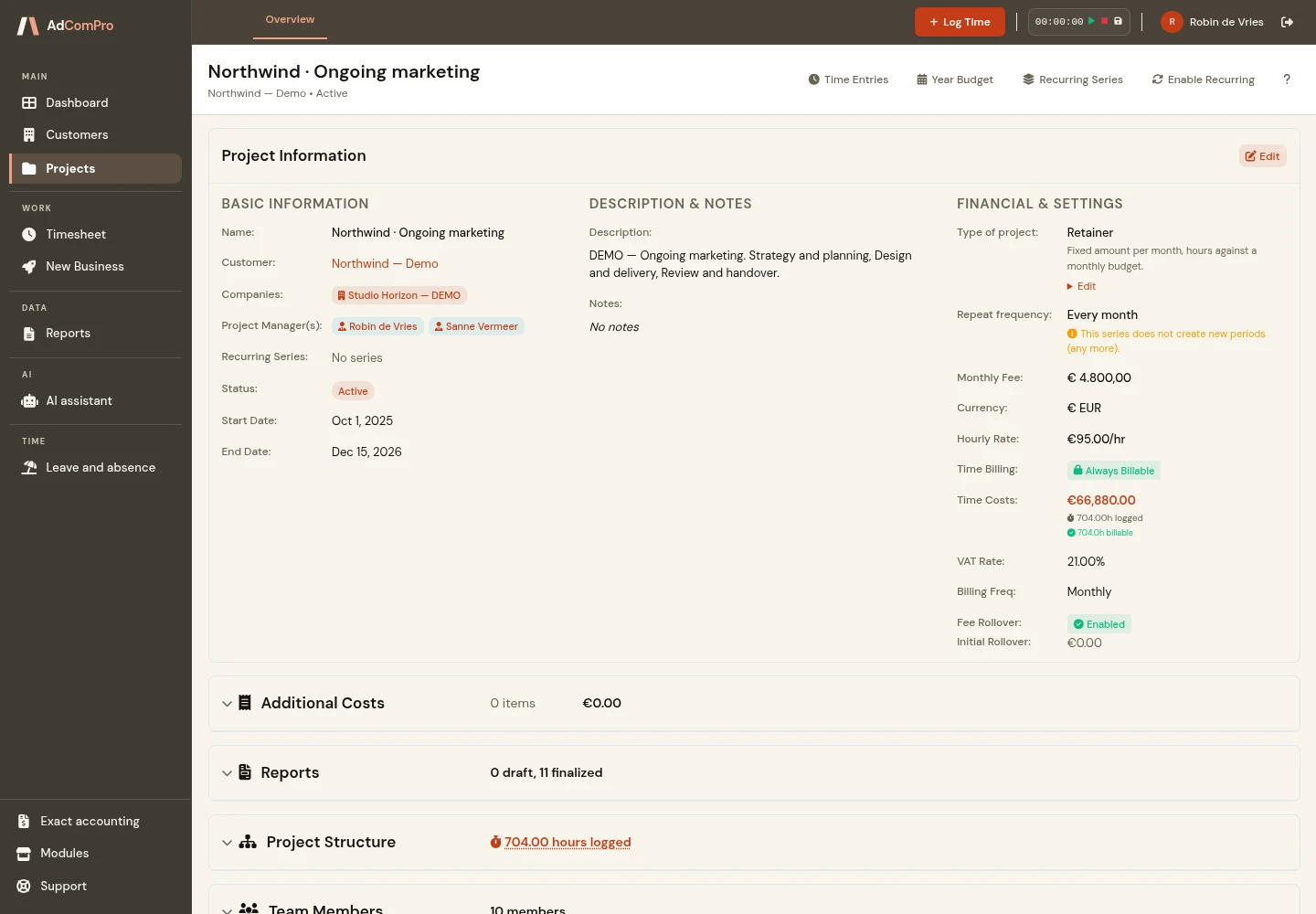
In AdComPro, you can organise assignments into milestones and tasks and record the time spent. Use that information as input for your profitability calculation. Check which labour and external costs you include; a screen showing revenue and hours is not automatically a complete profit calculation. For billing, connect the workflow to approved hours and project costs.
Try this on one project this week
- Choose a completed assignment and collect its revenue, hours and direct costs.
- Calculate the contribution using a consistent internal cost rate.
- Find the largest difference between the estimate and actual work.
- Carry one concrete improvement into the next proposal.
Mostly working on monthly agreements? Read about unused retainer budget. Also check that recorded work has a clear billing outcome: our guide to unbilled hours helps you close that gap.
Keep reading
- Worked but not billed: how to find the missing hours
- Unused retainer budget: roll it over or revisit the agreement?
- Fixed price or hourly rate: choose the agreement that fits the work
Put the ideas into practice
Choose one familiar project to try this approach. Explore the interactive demo, browse the features or start a free trial month.